Clinic and practice management, from reception to the prescription
ClinicSmith runs the daily work of a doctor's practice or a multi-doctor clinic: reception and the waiting queue, appointments, the patient's file and clinical record, prescriptions, lab and radiology requests, money, insurance claims and supplies.
The Windows app is in Microsoft Store certification and appears there soon. The web app works today.
A daily queue for each doctor
Prescriptions that remember the last dosage
Insurance claims ready to export
What ClinicSmith does
Everything below is in the app today.
Reception and appointments
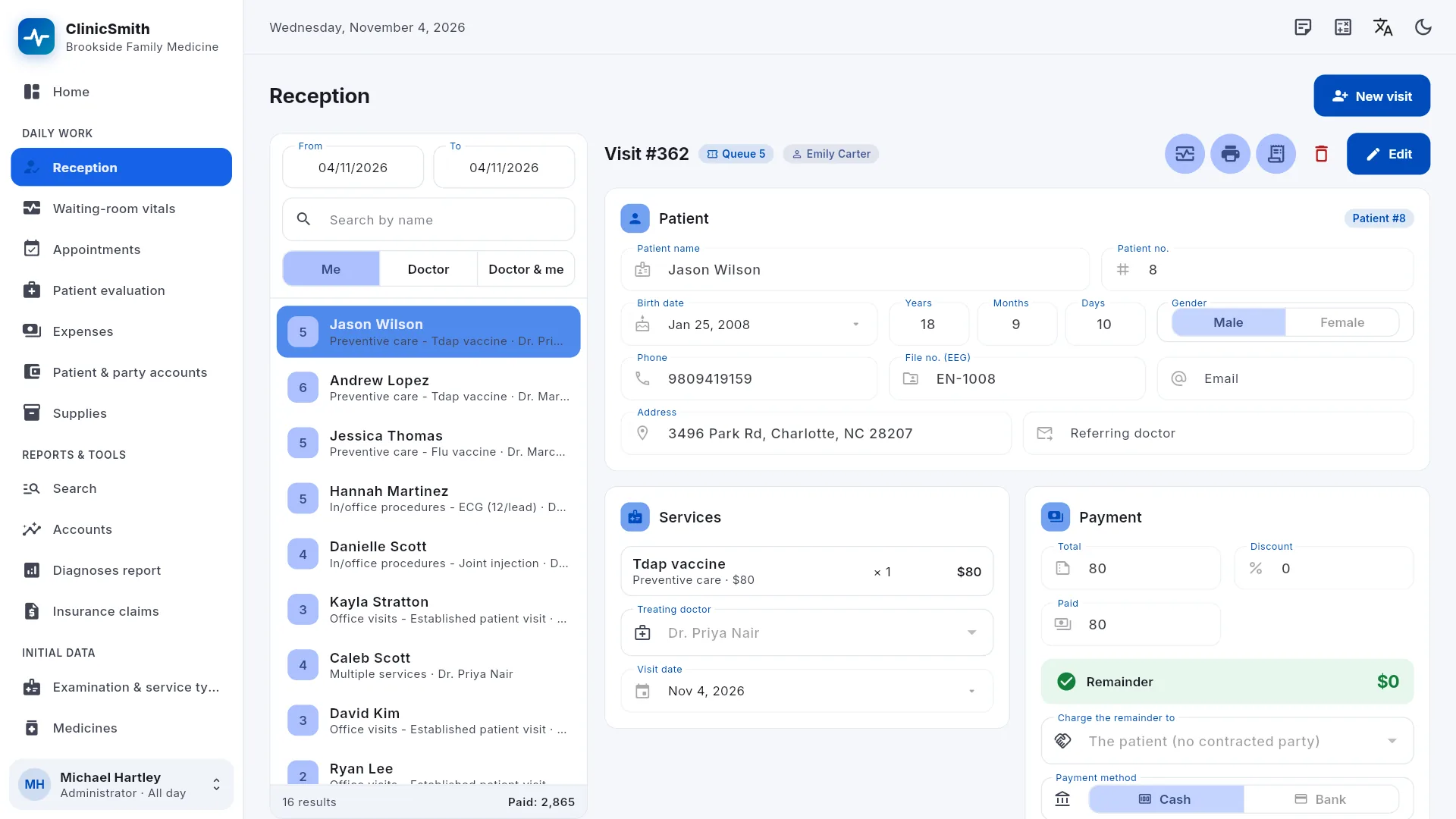
Register a visit in seconds: search-as-you-type for the patient, several services per visit, contracted-party discounts, the patient's open balance and a daily queue number for each doctor.
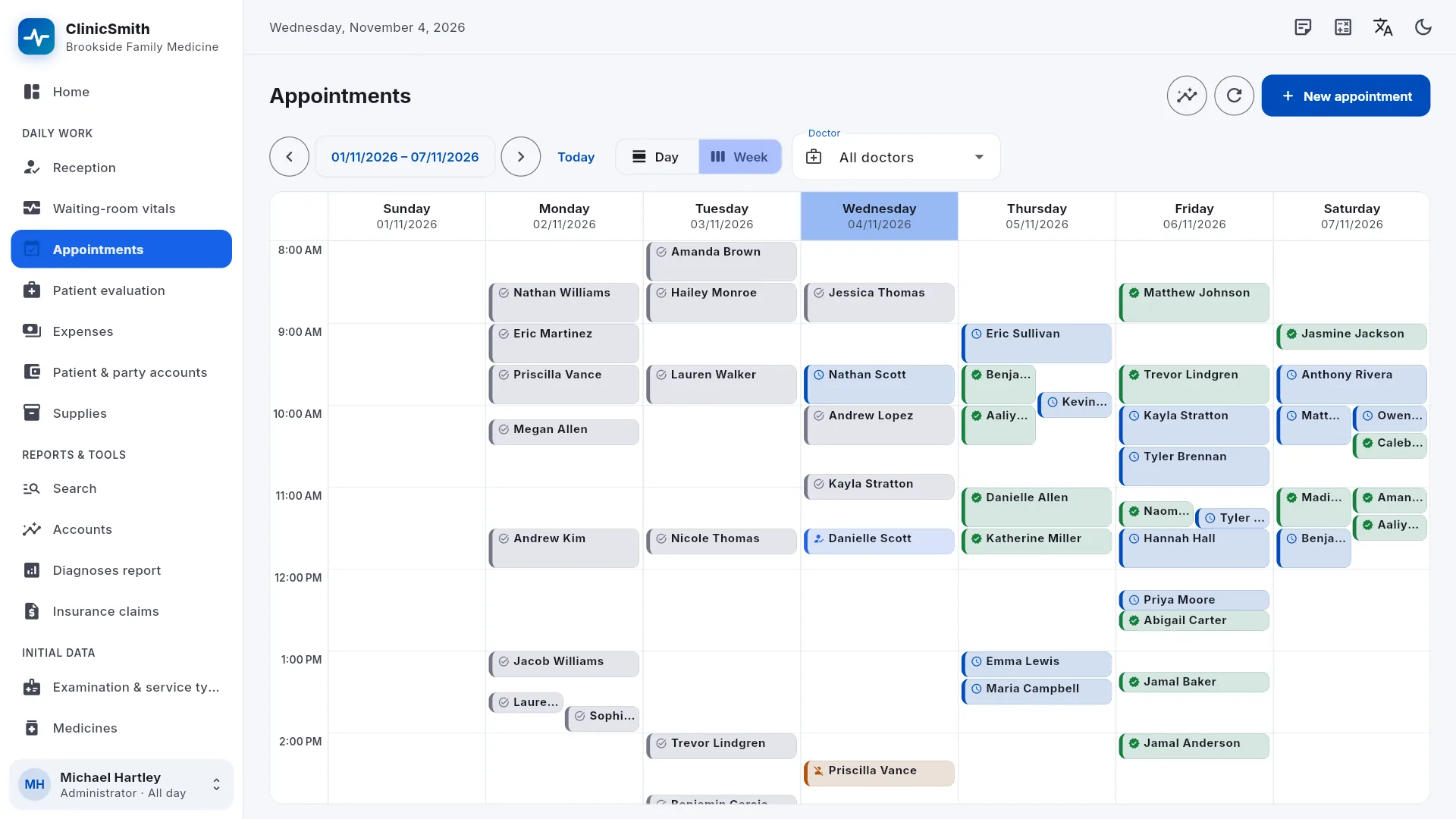
Appointments by day, with a column per doctor, or by week, with doctors' hours, breaks and days off.
“Arrived” turns a booking into a visit.
Reception can open WhatsApp with an appointment reminder ready to send.
Receipts on 80 mm, 58 mm or A7, and A4/A5 documents on the clinic's own letterhead.
Patient evaluation
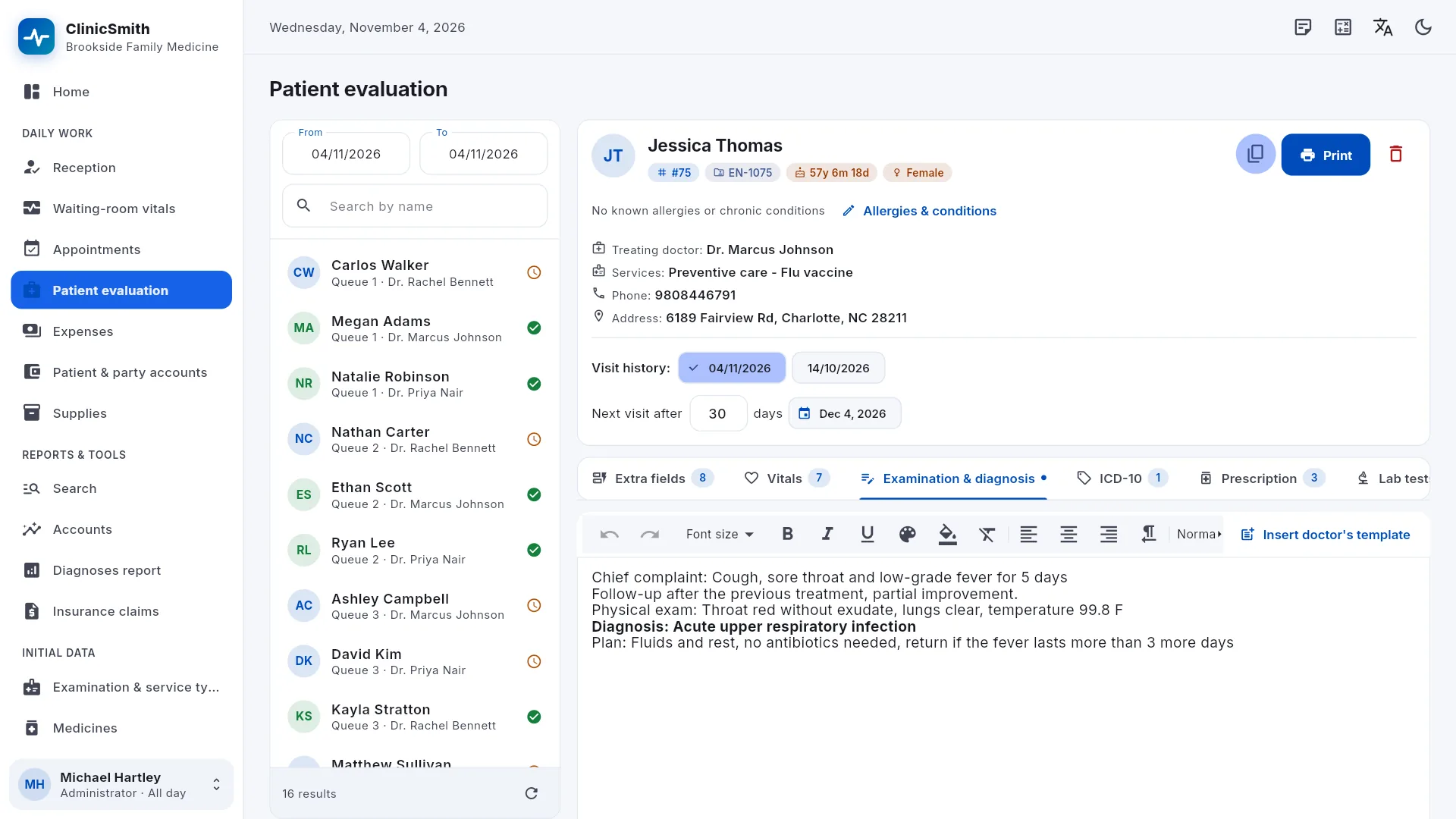
Each doctor's queue for the day, the patient's previous visits, and an examination sheet based on the doctor's own template.
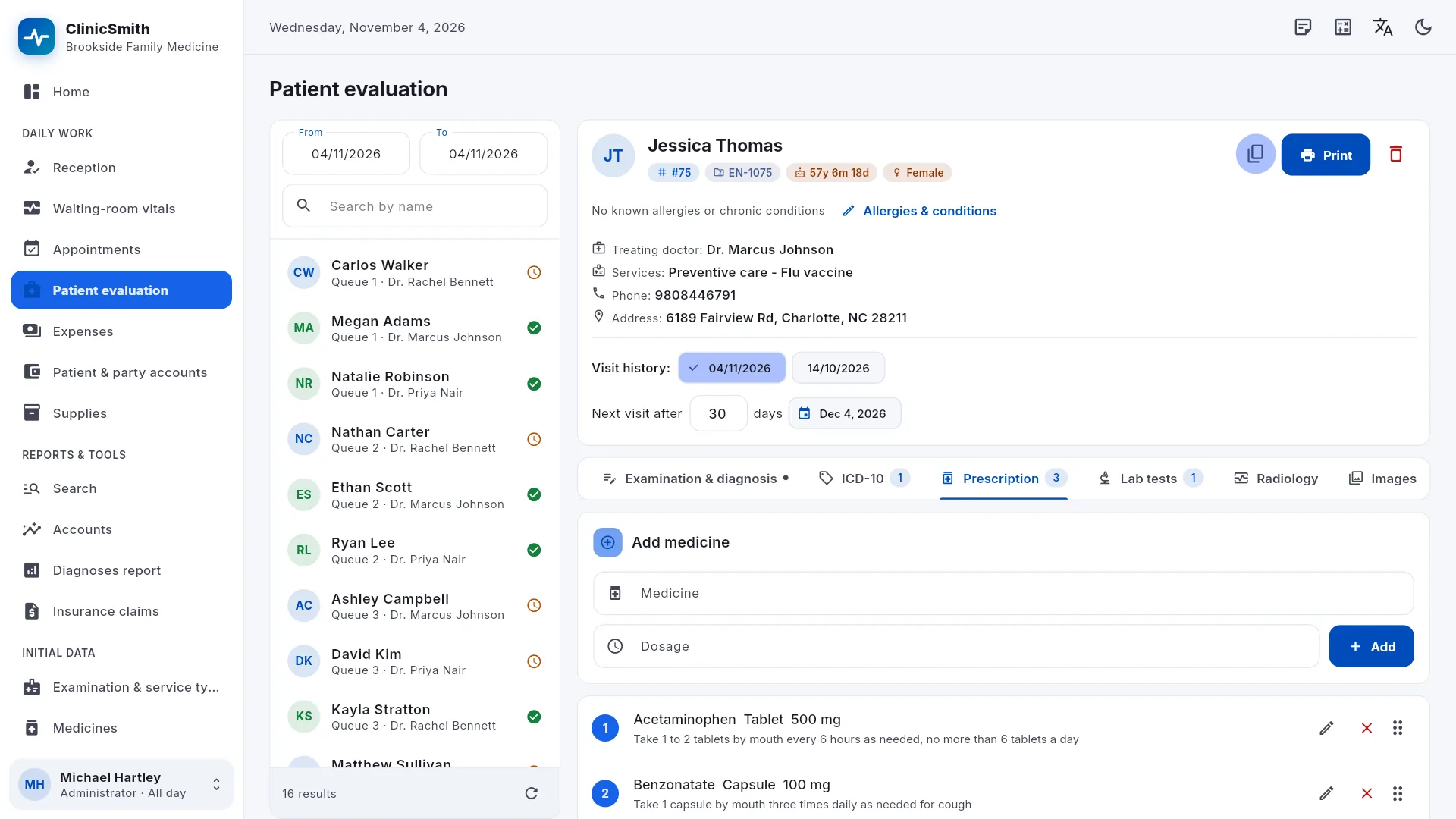
Prescriptions that remember the last dosage used.
Lab tests and radiology with their requests and results, images and files, and extra fields of your own.
Allergies and chronic conditions on the patient's file, with a warning when a prescription breaks an interaction rule the clinic has written. ClinicSmith does not include a drug database.
Prescriptions, lab and radiology requests and medical reports printed from the doctor's templates.
Clinical tools
Vitals with trend charts.
WHO growth charts for children.
A dental chart with a treatment plan.
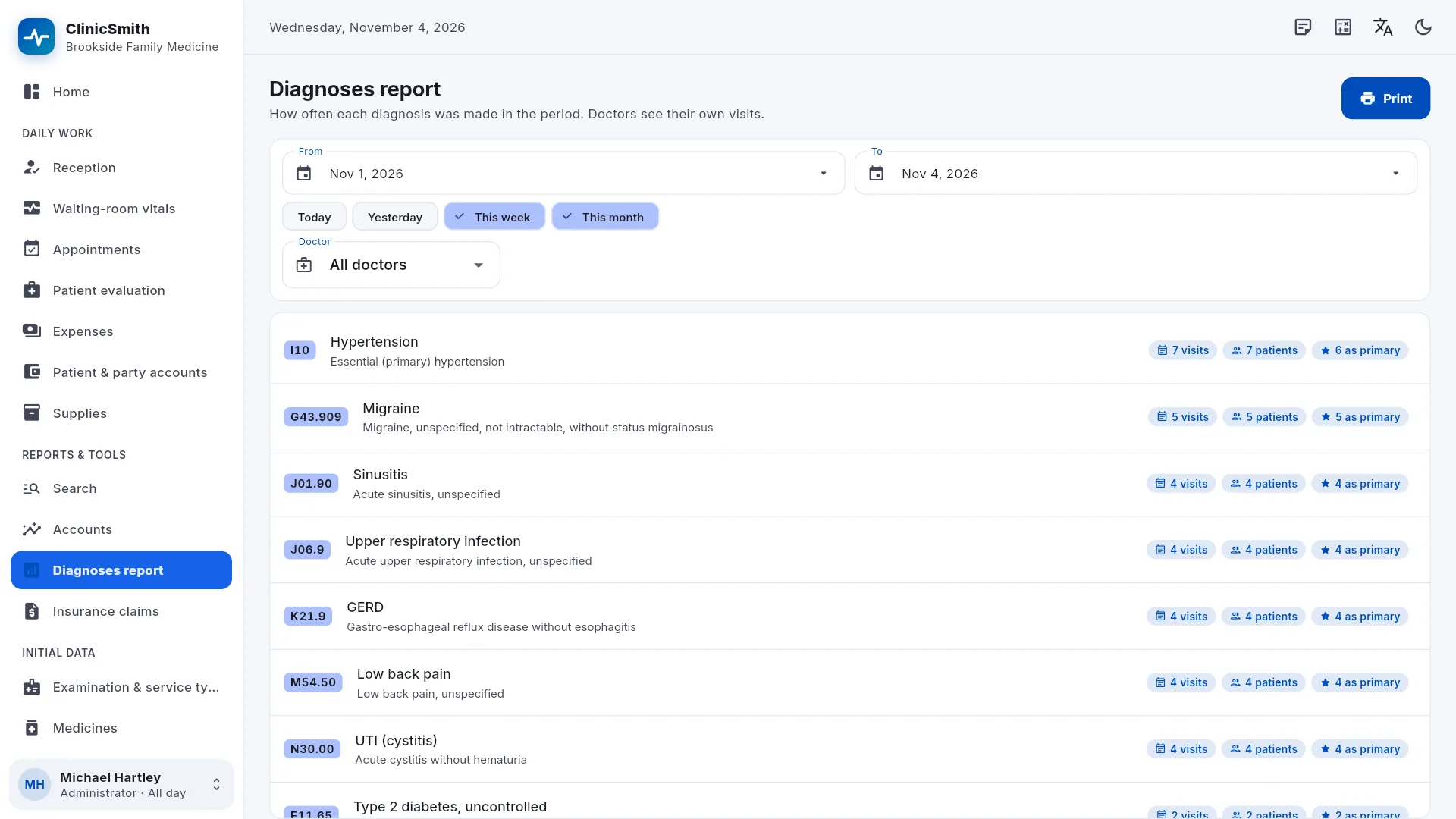
ICD-10 diagnosis codes and a diagnoses report.
Diet programs.
Money and insurance
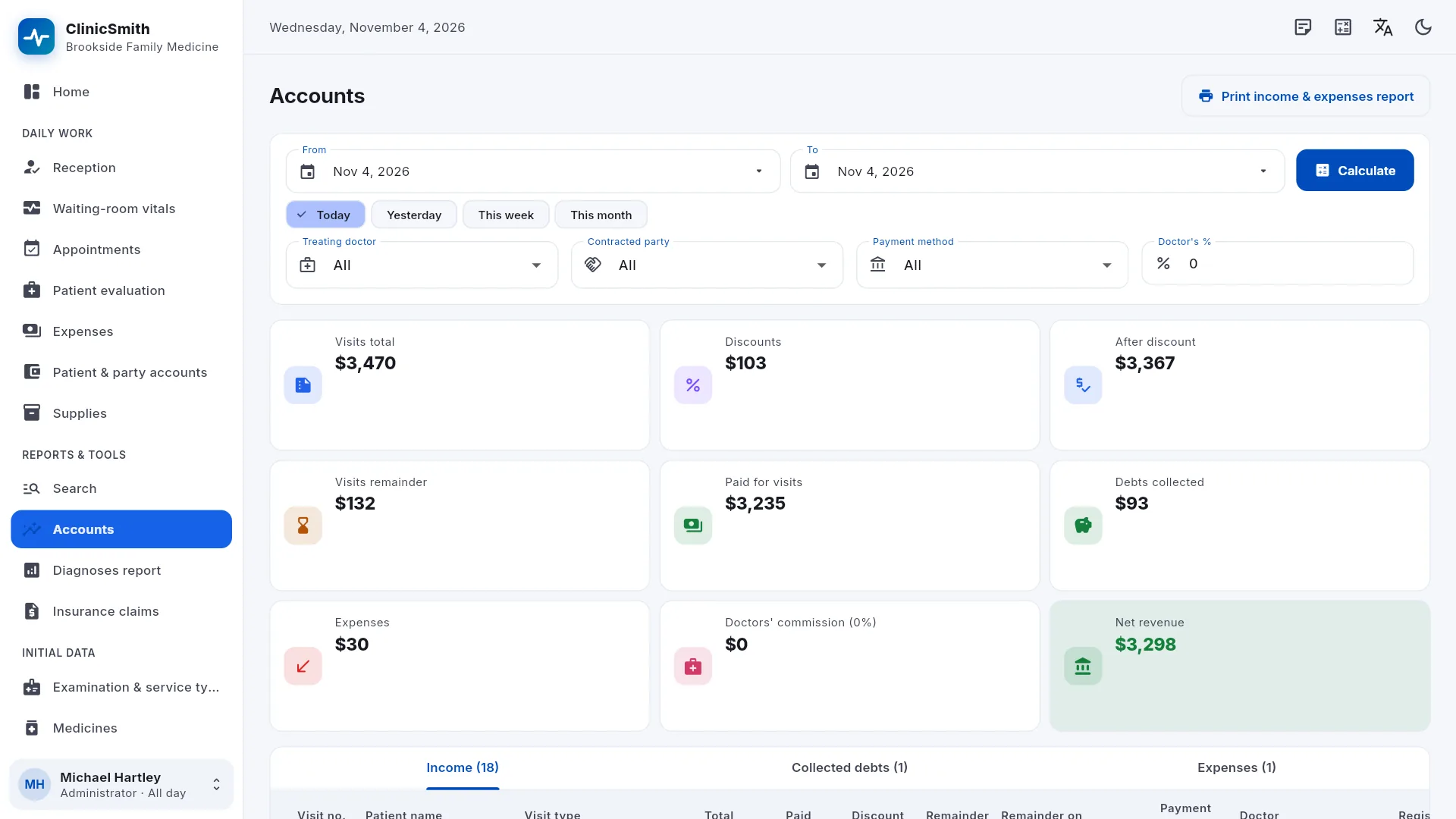
Accounts with the day's totals and each doctor's share.
Expenses, employees and salaries, and what each patient or contracted party still owes.
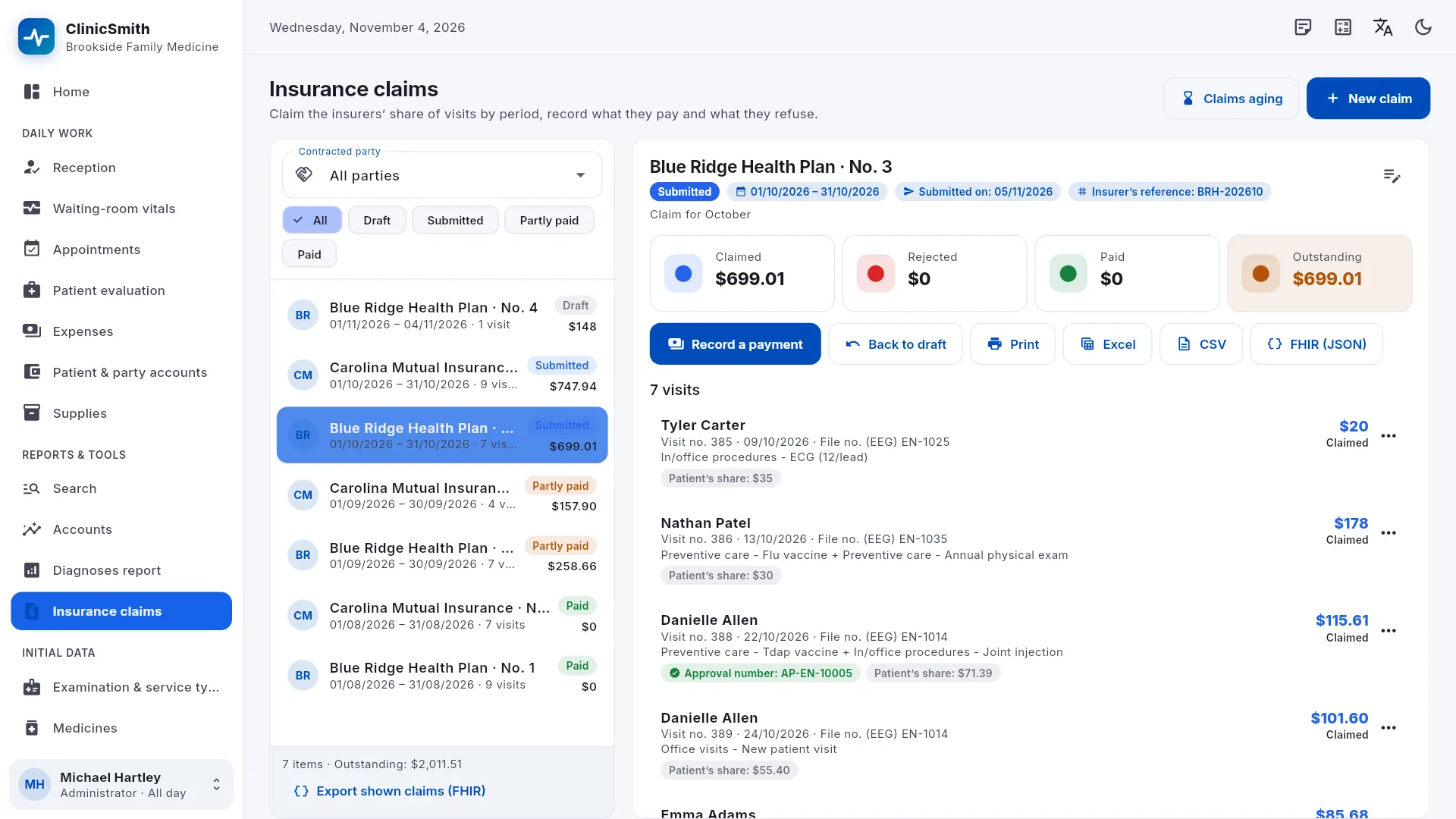
Insurance claims per contracted party: coverage rules, the patient's and the insurer's share, and claim and payment follow-up.
Claims exported to PDF, Excel/CSV and HL7 FHIR R4. ClinicSmith prepares the claim files; it does not send them to insurers.
Running the clinic
Supplies with batches, expiry dates, purchases and stock counts.
Several branches, each with its own stock, and transfers between them.
Users with roles and permissions; doctors see only their own visits.
Reports on accounts, expenses, appointments and diagnoses, and an audit log of who changed what and when.
Two-step sign-in with an authenticator app, backup download at any time and nightly backups on the server.
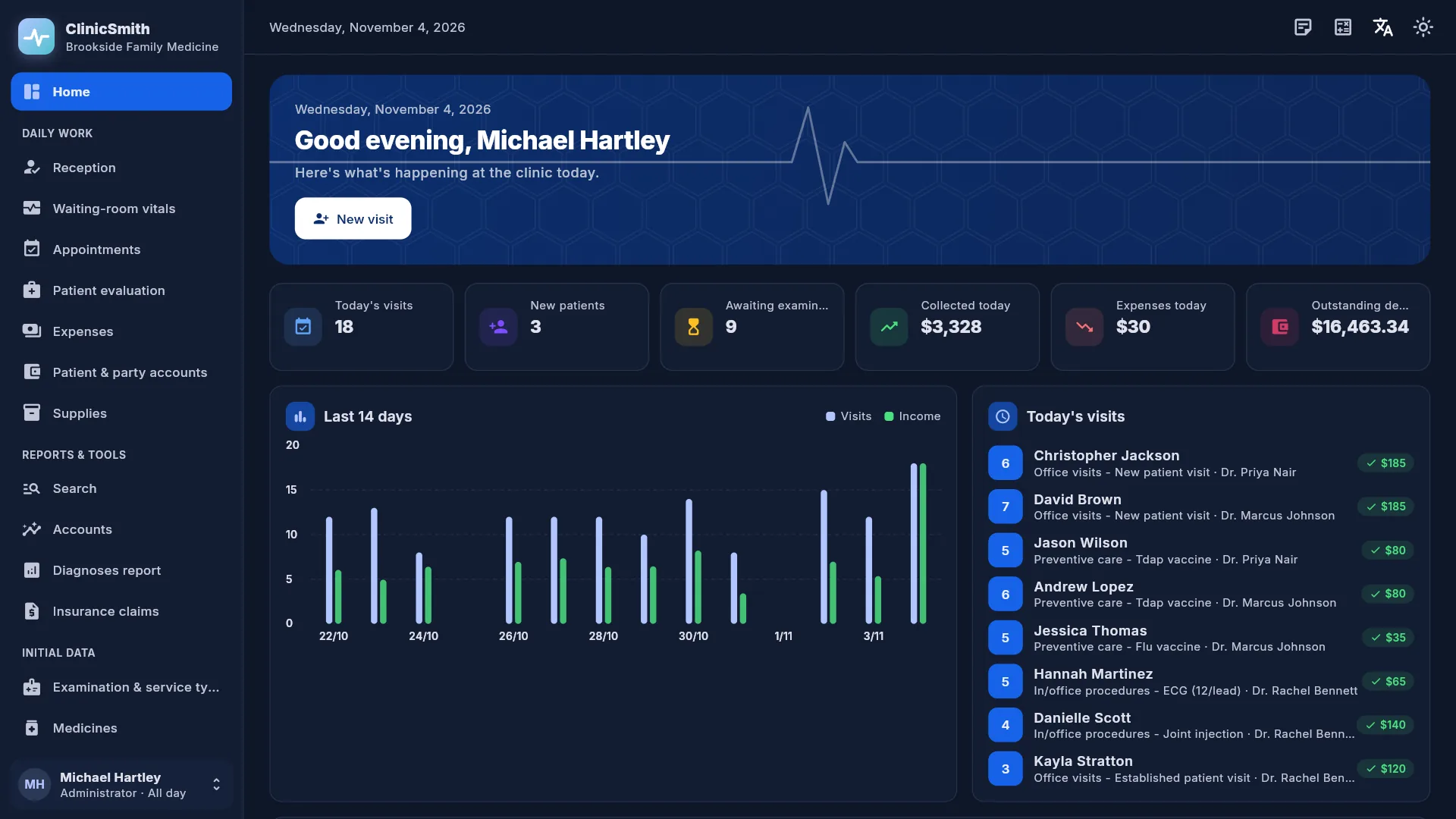
Light and dark mode, a built-in calculator and personal notes.
See it in action
Screens from ClinicSmith with demo data. Select a screenshot to open it full size.
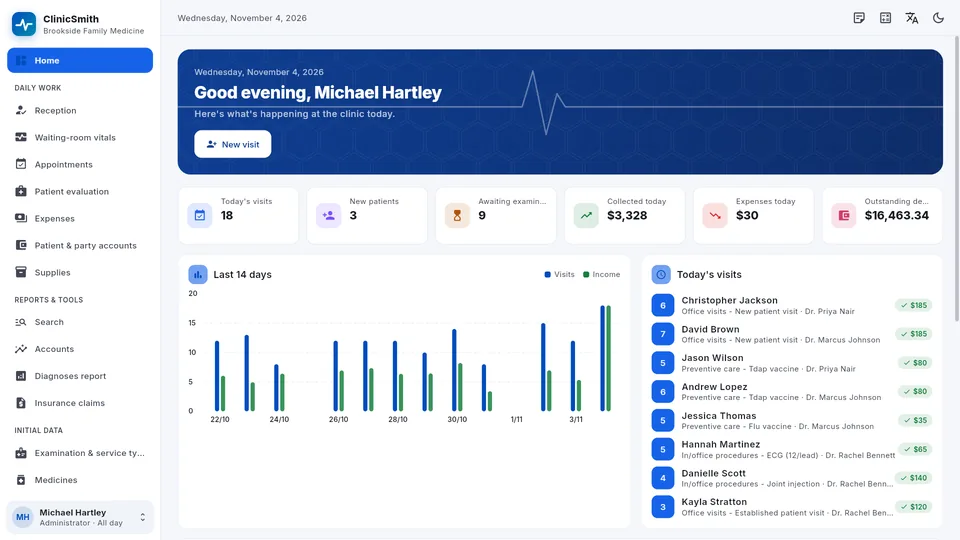
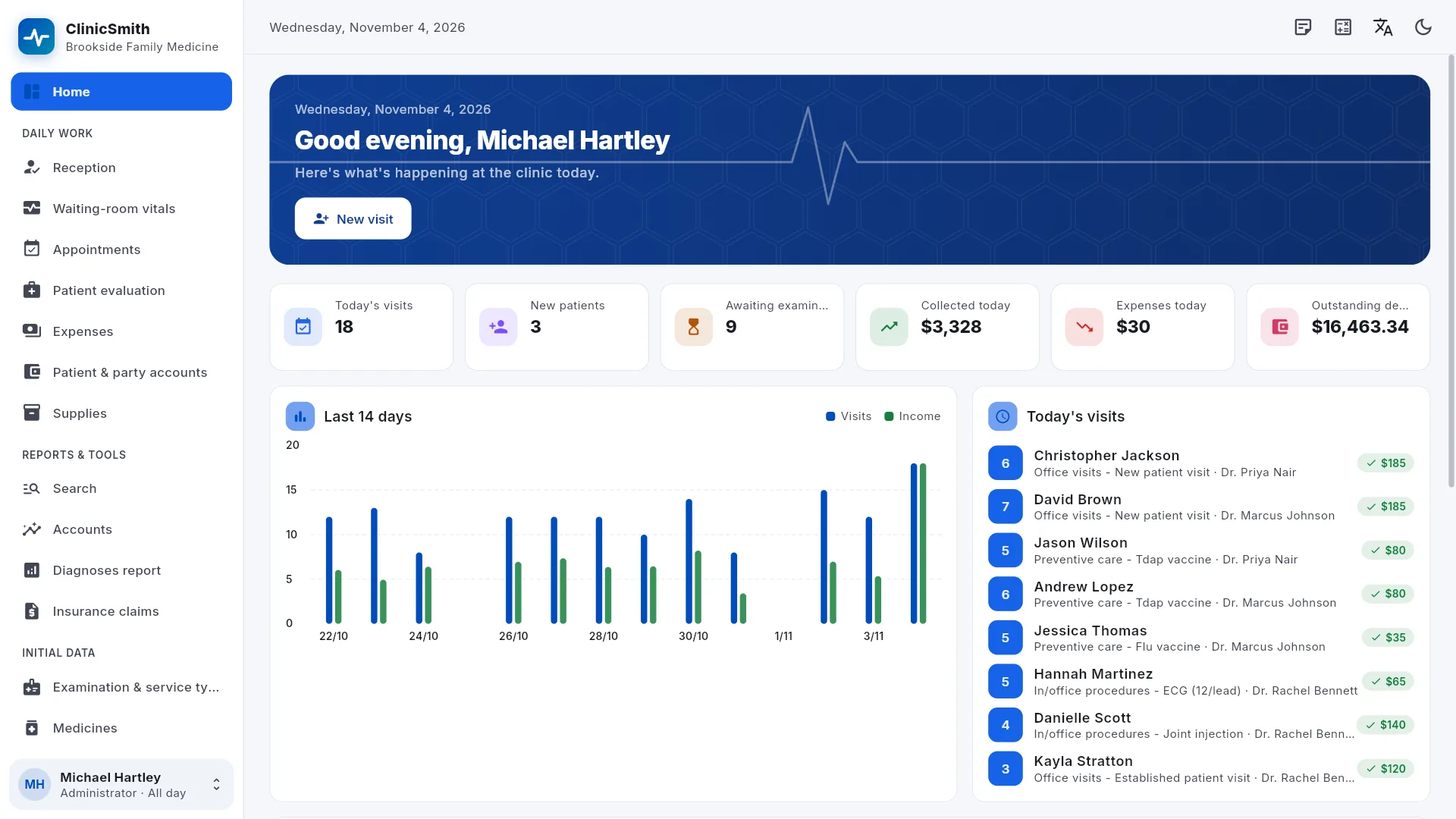
Home dashboard: today's visits, new patients, awaiting examination, collected today, expenses today and outstanding debts, a 14-day visits and income chart, and today's visits.Appointments calendar in week view for all doctors, with booked, arrived and online appointments in their time slots.Reception: today's visit list and an open visit with patient details, services, treating doctor and payment (discount, paid, remainder, cash or bank).Patient evaluation: the doctor's queue for today and a patient's visit with allergies, chronic conditions, visit history and the examination & diagnosis note.Prescription tab: adding a medicine with its dosage, the prescribed medicines and, where they apply, prescription warnings from the clinic's own rules.Diagnoses report for the week: each ICD-10 code with its description, the number of visits and patients, and how often it was the primary diagnosis.Insurance claims: claims per contracted party with their status, and an open claim with claimed, rejected, paid and outstanding amounts, its visits and exports.Accounts for a chosen period: visits total, discounts, paid for visits, debts collected, expenses, doctors' commission and net revenue, with income, debts and expenses tabs.The home dashboard in dark mode, with today's figures, the visits and income chart and today's visits.
Who it's for
For the doctor's practice and the multi-doctor clinic, with reception and doctors working in the same app.
Doctors' practices
Reception, the queue, the examination sheet and the prescription in one place.
Clinics with several doctors
A column per doctor in the calendar, each doctor's queue, and each doctor's share in the accounts.
Dental clinics
A dental chart with a treatment plan on the patient's file.
Paediatric clinics
WHO growth charts for children, and vitals with trend charts.
Clinics with insurance contracts
Coverage rules, patient and insurer shares, and claim files ready to export.
Questions and answers
Is ClinicSmith free?
Yes. ClinicSmith is currently free to use: there are no plans, subscriptions or payments.
How do I start?
Open the web app or the Windows app, choose Create a new clinic on the sign-in screen and sign up with your email address or mobile number. Then add your doctors and staff in Users & permissions, each with a role and permissions.
Does ClinicSmith include a drug database?
No. Prescriptions remember the last dosage used, and the clinic can write its own interaction rules, which raise a warning on the prescription.
Does it send claims to insurers?
No. ClinicSmith prepares the claim files (PDF, Excel/CSV and HL7 FHIR R4) and tracks claims and payments; sending them is up to the clinic. It does not connect to national health-insurance or e-prescription systems.
Where are patient records kept, and who can see them?
On servers operated by MarlySoft, not on your computer, and they travel over an encrypted HTTPS connection. Each clinic's data is kept apart from every other clinic's. Within a clinic, the administrator gives each user a role and permissions, and doctors see only their own visits. The privacy policy has the details.
Does it work without an internet connection?
No. ClinicSmith needs the connection to open and save records, and it doesn't keep a copy of the clinic's records on your computer.
Can I use it in a web browser?
Yes. Open clinicsmith.marlysoft.com and sign in. The Windows app uses the same account and the same data.
Which languages does it speak?
English, Arabic (fully right to left), French, German, Spanish, Italian and Turkish, in light or dark mode.
 ClinicSmith