TillCaptainPoint of sale and shop management

Point of sale and shop management for small and medium shops

The cashier sells by barcode, the storekeeper receives the goods, and the owner follows sales, stock, cash and staff in one place.

The Windows app is in Microsoft Store certification and appears there soon. The web app works today.

  • Keeps selling while the connection is down
  • Branches with their own stock and till
  • Egyptian Tax Authority e-receipts
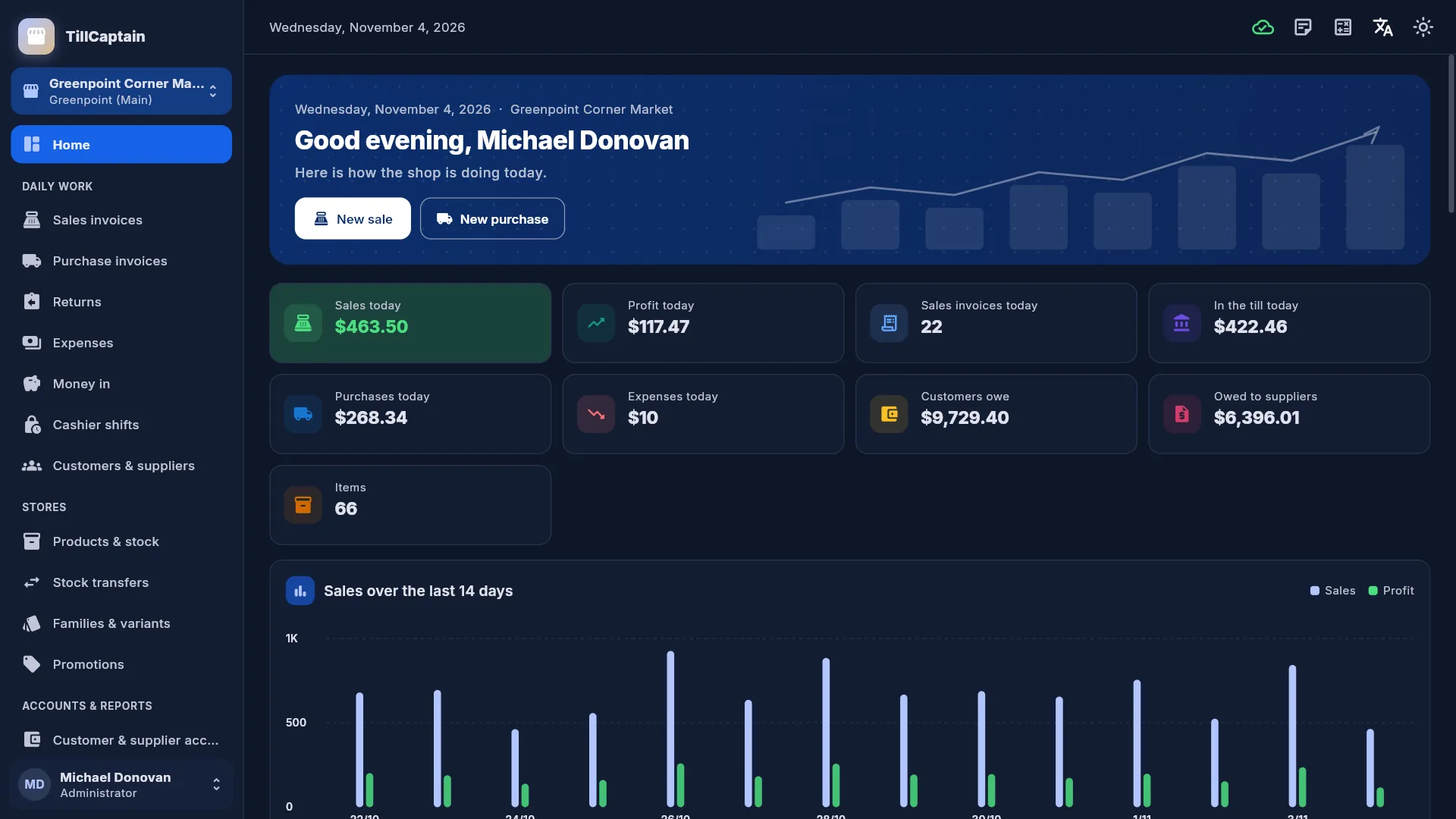
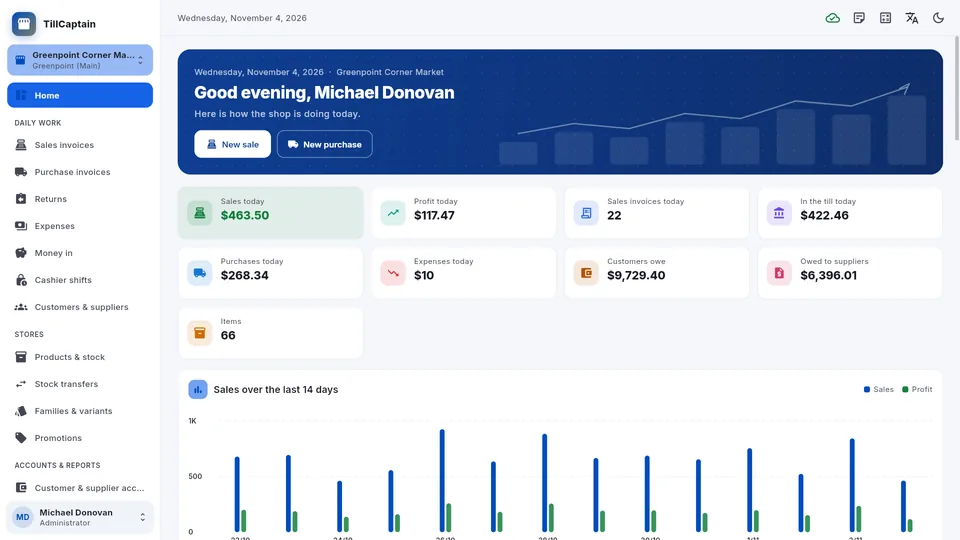
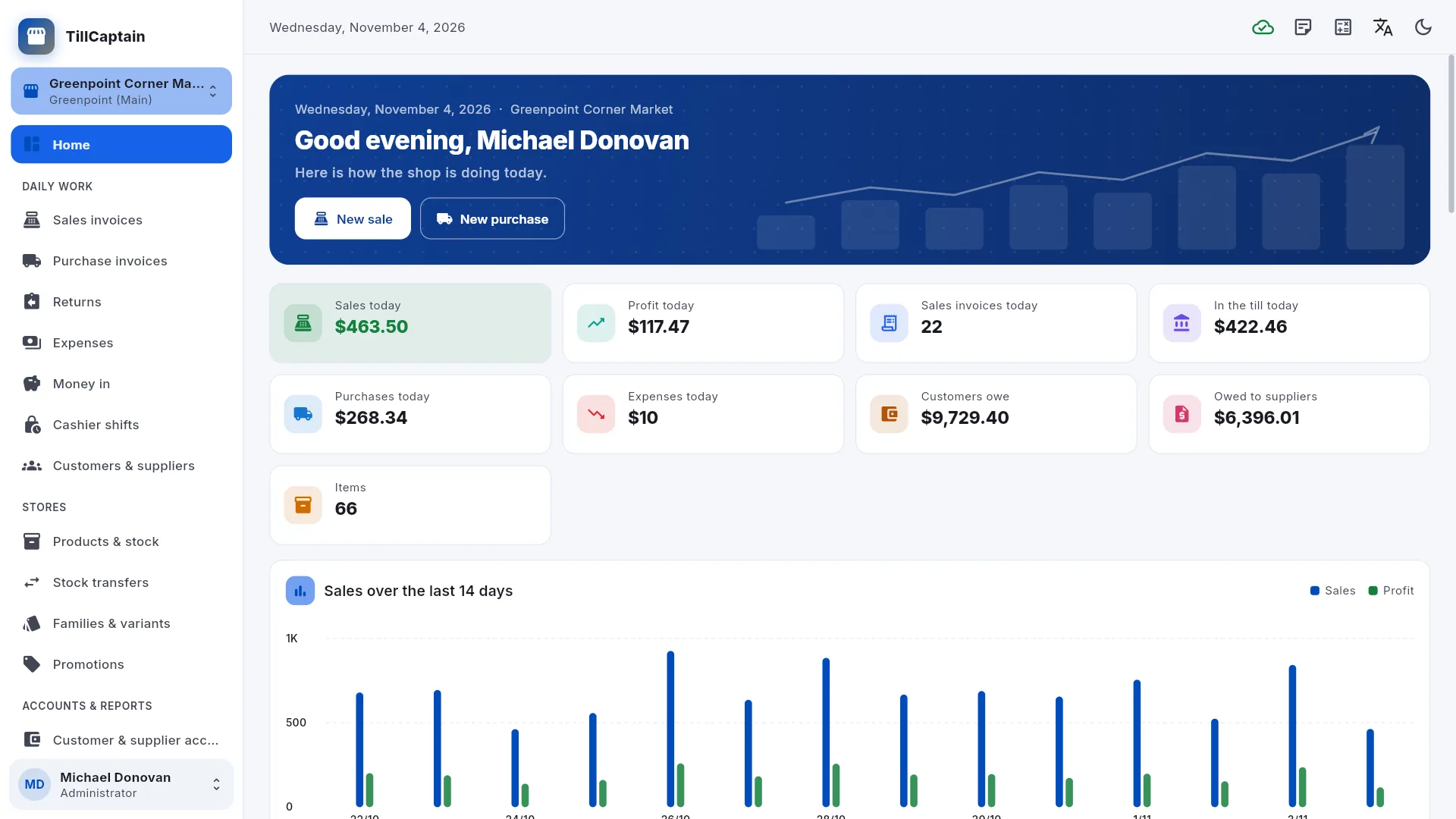
Home dashboard: sales, profit, sales invoices and cash in the till today, purchases and expenses, what customers owe and what is owed to suppliers, and a 14-day sales and profit chart.

What TillCaptain does

Everything below is in the app today.

Selling at the till

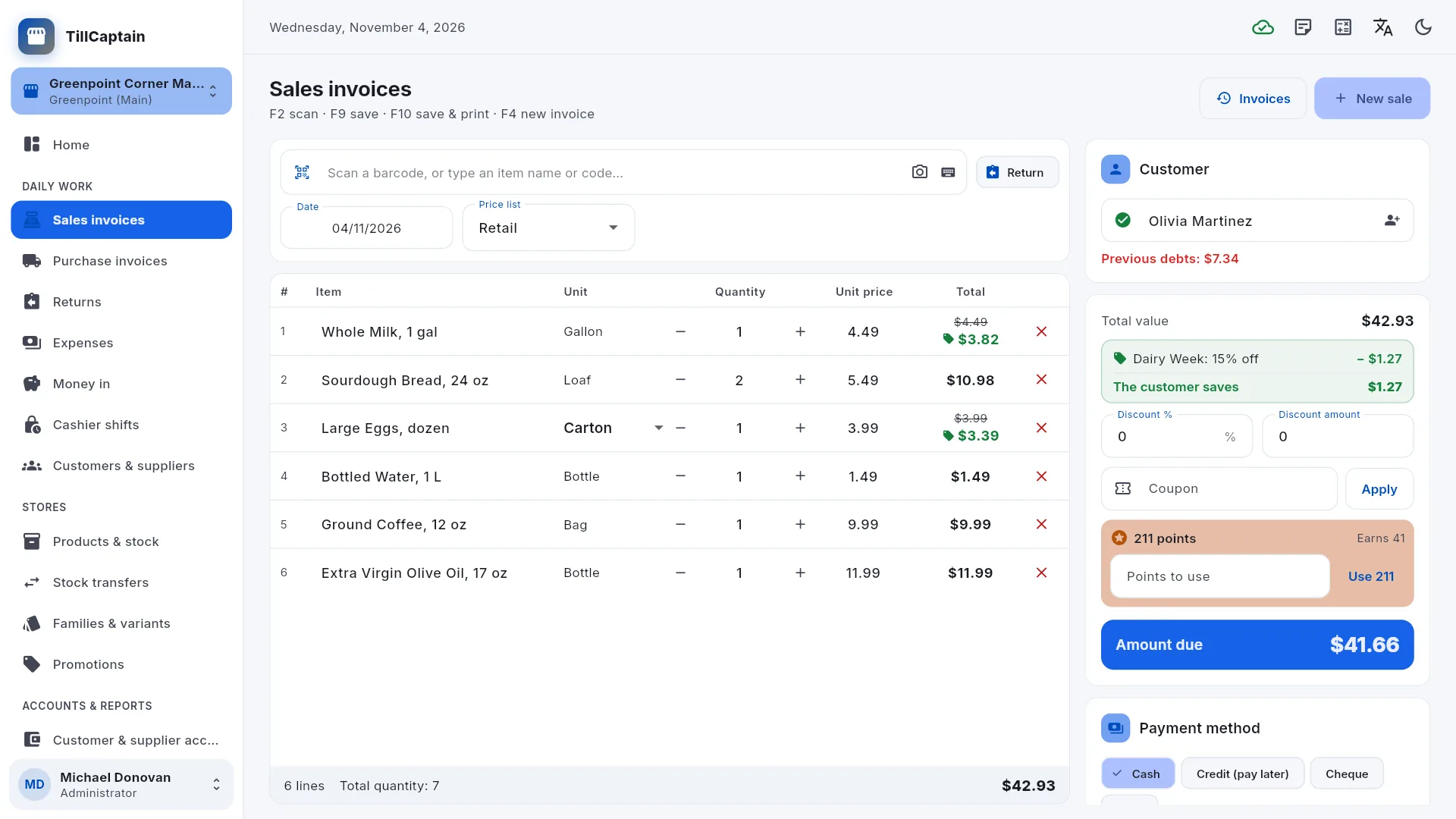
  • Fast barcode sales: scan to add an item, scan again for one more, sell by the carton or by the piece.
  • Retail, wholesale and half-wholesale price lists; discounts as a percentage or an amount.
  • Cash, card, cheque or credit (pay later), with the change due and the customer's previous balance.
  • Returns against the original sale, refunded in cash, by card or to the customer's account.
  • Cashier shifts with an X report at any time and a Z report with the counted cash at closing.
  • Selling continues when the connection drops: the sale gets its real number once the server can be reached again.
  • Send an invoice summary on WhatsApp or share the invoice as a PDF.
Customers, credit and promotions

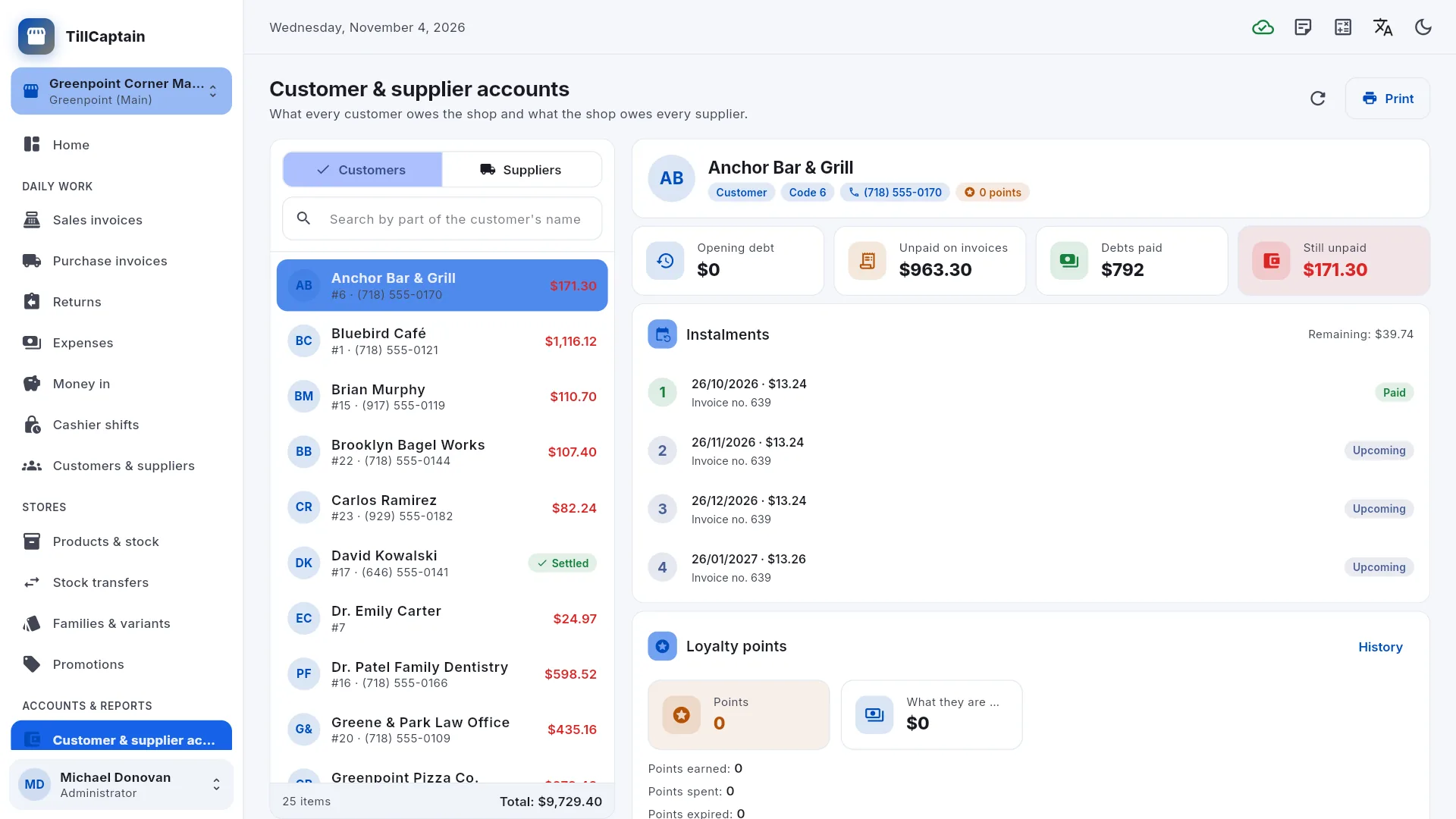
  • A credit limit per customer, and credit sales split into monthly or weekly instalments.
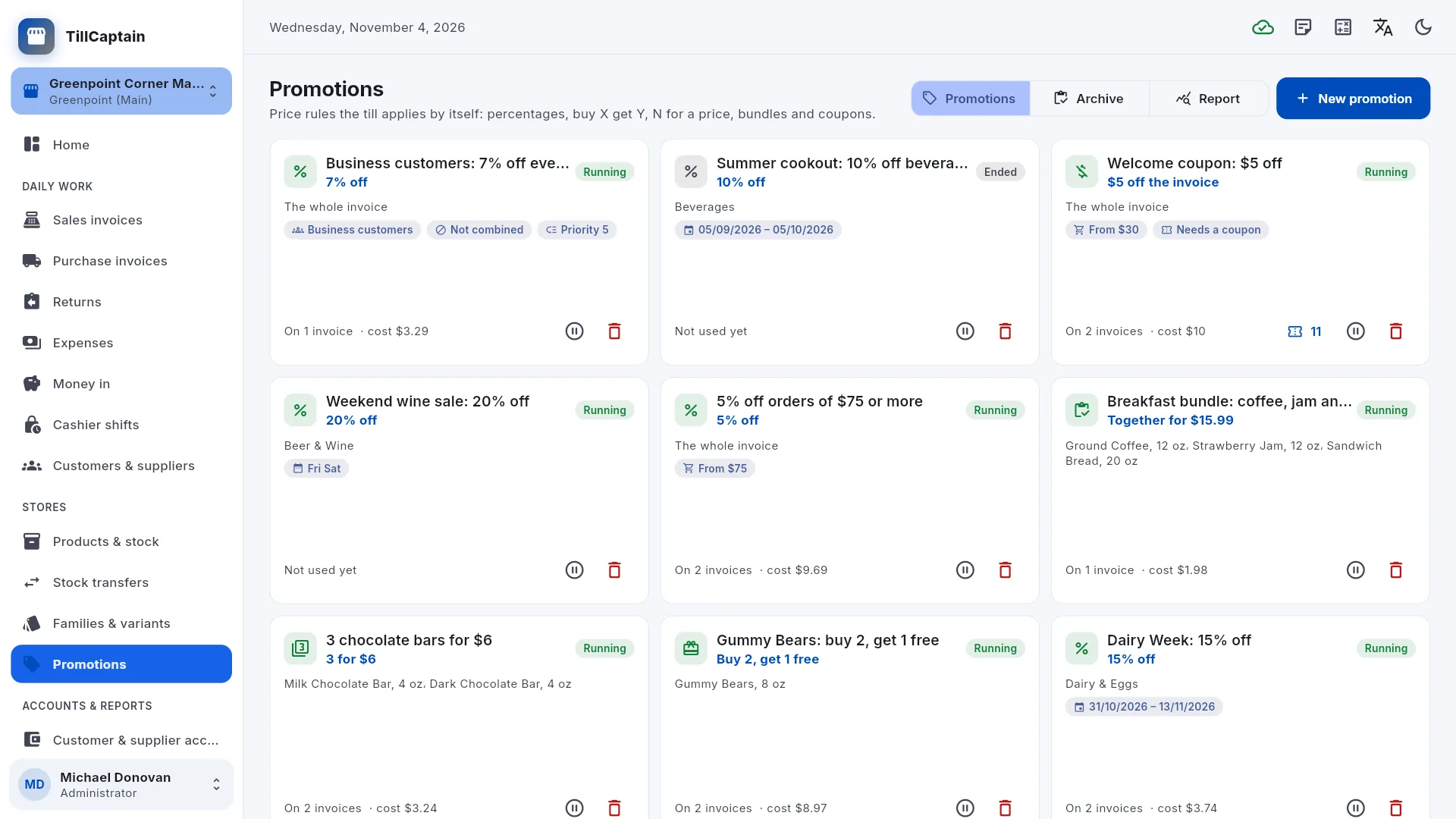
  • Promotions: percentage or amount off, buy X get Y, N for a price and bundle prices.
  • Coupons and loyalty points.
  • Customer and supplier accounts with printable statements.

Stock and purchases

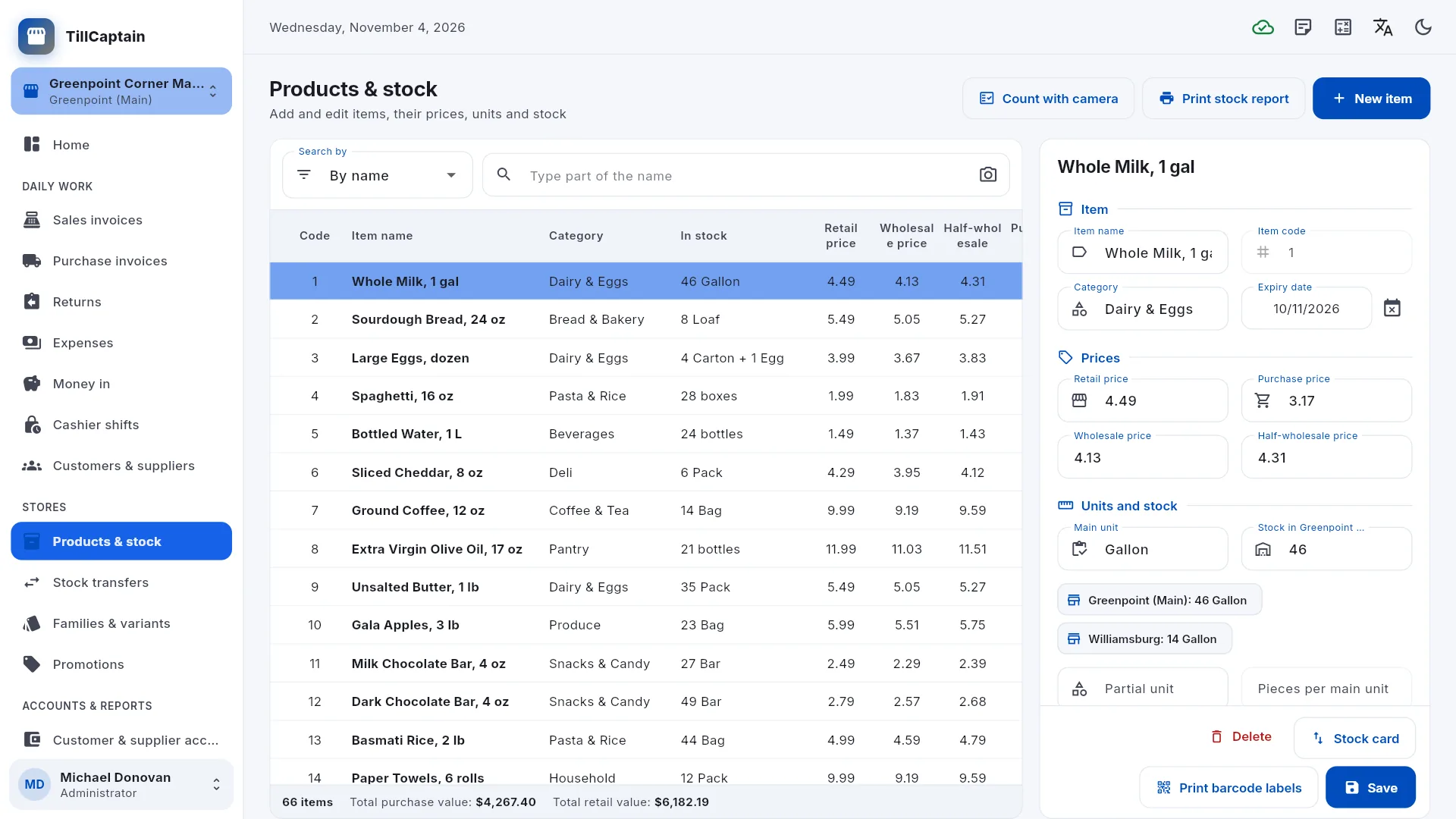
  • Products with a main unit and a piece unit (a carton of 12, for example), several barcodes and expiry dates.
  • A stock card that records every movement.
  • Purchase invoices, suppliers and supplier accounts.
  • Families and variants for sizes and colours, with a stock grid.
  • Barcode labels, 50 × 25 mm.

Branches and reports

  • Branches, each with its own stock, invoice numbers and till, and stock transfers between them.
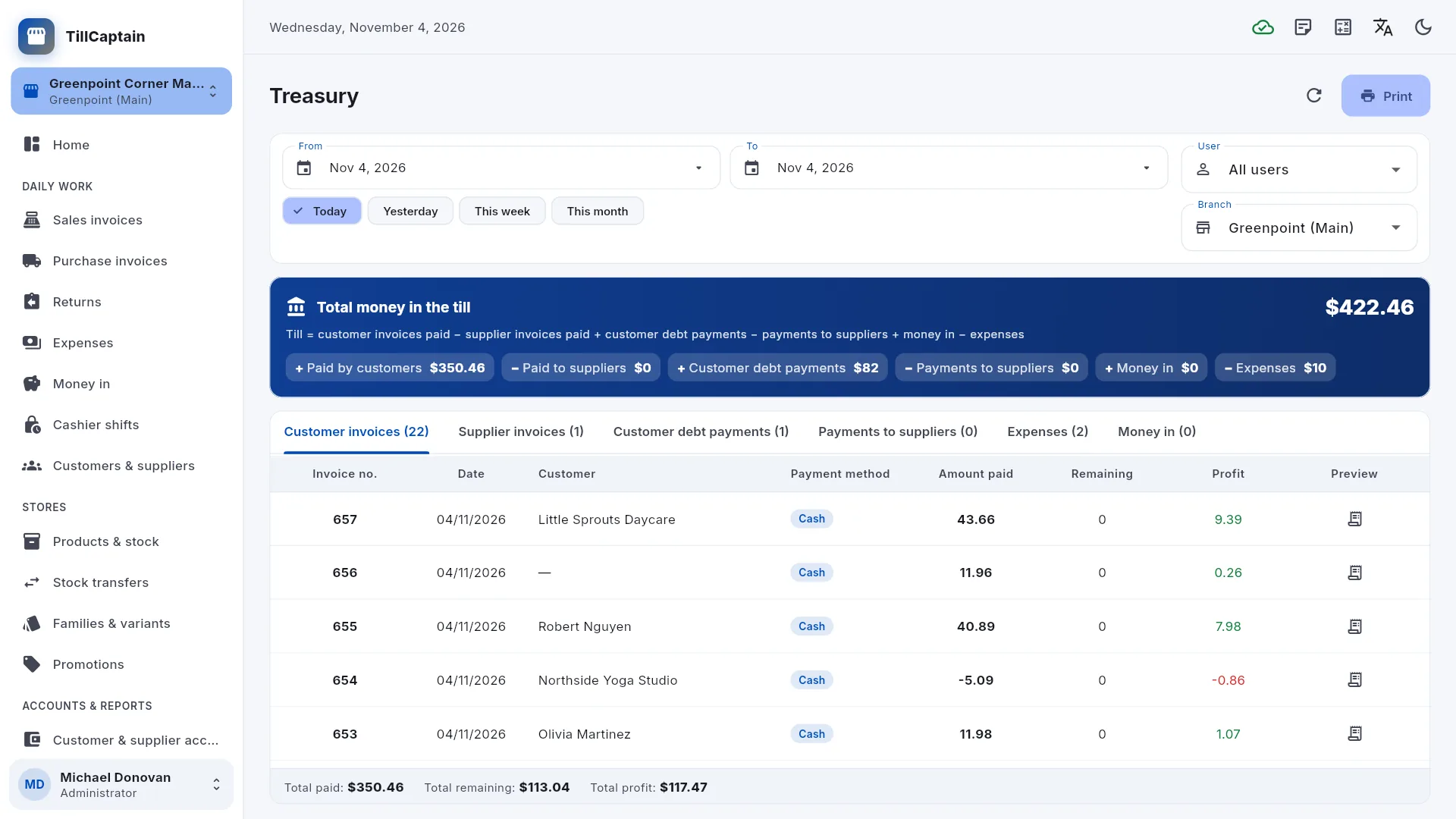
  • Treasury, expenses, money in and today's sales.
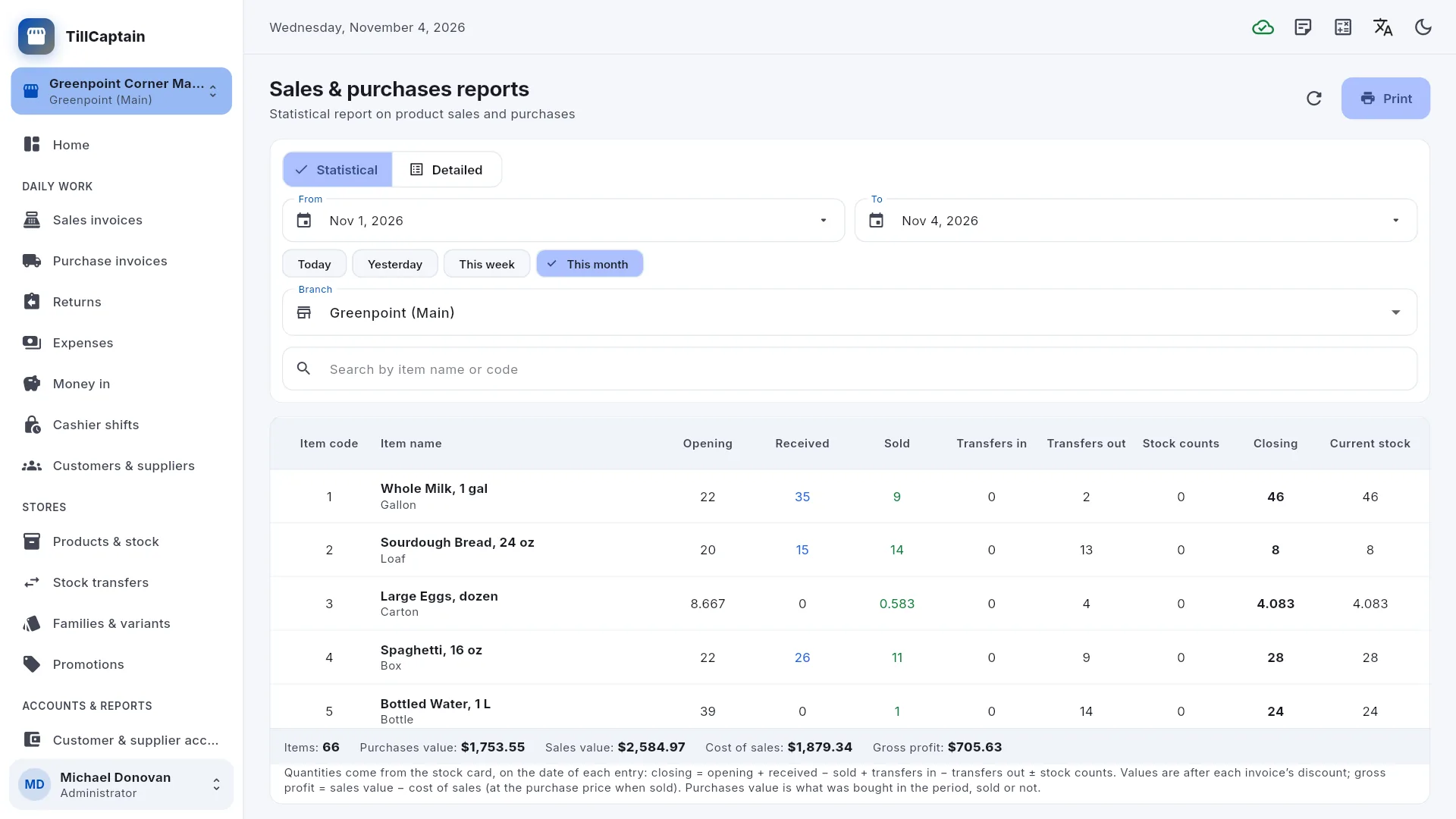
  • Sales and purchases reports, with profit per product.
  • Invoices on A4, A5, A6 or an 80/58 mm receipt roll, with your logo or your shop's name and address.

For the owner

  • Users and permissions: add staff by email or mobile number, and choose what each person may do and in which branches.
  • An audit log of who changed what, and when.
  • Backup and restore: download your shop's data as a file whenever you like; the server also keeps a backup every night.
  • Two-step sign-in, signing out of other devices, and deleting your account from within the app.
  • One account can work in several shops.

Egypt: e-receipts and e-invoices

  • The Egyptian Tax Authority's e-receipt for every sale and return.
  • Optional B2B e-invoices for every sale to a business with a tax registration number.
  • Off until you turn it on, with a practice mode that checks every document without sending anything.
  • Sending requires your own registration on the Tax Authority's portal (and an approved e-seal for e-invoices).

See it in action

Screens from TillCaptain with demo data. Select a screenshot to open it full size.

Who it's for

Made for small and medium shops where a cashier sells, a storekeeper receives the goods and the owner keeps an eye on everything.

  • Supermarkets and grocery stores

    Barcode sales by the carton or by the piece, expiry dates, promotions and a quick checkout.

  • Bookshops and stationers

    Many small items with their own barcodes, and barcode labels you print yourself.

  • Clothing and shoe shops

    Families and variants for sizes and colours, with a stock grid for each model.

  • Medical supply and household goods stores

    Retail and wholesale prices, customer credit and instalment plans.

  • Shops with several branches

    Each branch with its own stock, invoice numbers and till, and transfers between them.

Questions and answers

Is TillCaptain free?

Yes. TillCaptain is currently free to use: there are no plans, subscriptions or payments.

How do I start?

Open the web app or the Windows app, choose Create a new shop on the sign-in screen and sign up with your email address or mobile number. Then add your staff in Users & permissions and choose what each person may do.

Do I need an internet connection?

Yes. TillCaptain works with an online service, so every PC in the shop sees the same stock and accounts. If the connection drops, the till keeps selling: the sale is kept with a provisional number and gets its real number once the server can be reached again.

Can I use it in a web browser?

Yes. Open tillcaptain.marlysoft.com and sign in. The Windows app uses the same account and the same data.

What hardware do I need?

A Windows PC or a computer with a web browser. A USB barcode scanner, a receipt printer and a label printer are optional.

Can TillCaptain issue Egyptian Tax Authority e-receipts?

Yes, for shops in Egypt. TillCaptain can issue an e-receipt for every sale and return and, if you also turn on B2B e-invoices, an e-invoice for every sale to a business with a tax registration number. It stays off until you turn it on, and its practice mode checks every document without sending anything. Sending needs your own registration on the Tax Authority's portal. Outside Egypt, TillCaptain does not connect to any government fiscal or e-invoicing system.

Which languages does it speak?

Arabic (right to left), English, French, German, Spanish, Italian and Turkish, in light or dark mode.

Can I get my data out?

Yes. The shop's administrator can download a backup file of the whole shop at any time in Backup & restore, and reports can be saved as PDF or spreadsheets. The server also keeps a backup every night.

More help on the TillCaptain support page.

Start with TillCaptain today

Open the web app in your browser and create your account from the sign-in screen. It is free to use.

The Windows app is in Microsoft Store certification and appears there soon. The web app works today.