PharmaCaptain runs the counter, keeps stock by lot and expiry date, and handles distributor purchases, insured sales and claims, patient files, the controlled drugs register, delivery and pharmacy reports.
The Windows app is in Microsoft Store certification and appears there soon. The web app works today.
About 25,000 medicines in the Egyptian drug list
First-expiring lot sold first
Insured sales and monthly claims
What PharmaCaptain does
Everything below is in the app today.
Egyptian drug list
About 25,000 medicines from a public dataset of Egyptian drug prices, searchable by trade name, Arabic name or active ingredient.
Add a drug to your pharmacy in one tap, with its public price, units and tax class ready, or load a whole drug class or the full list.
Alternatives by active ingredient, showing which ones you have in stock.
Public price changes arrive in one list: a new price applies to new stock only, and lots already received keep their price.
Import your own product list from Excel or CSV, with a preview before anything is saved.
Prices come from a public source, so check them against the official prices.
Expiry dates and stock
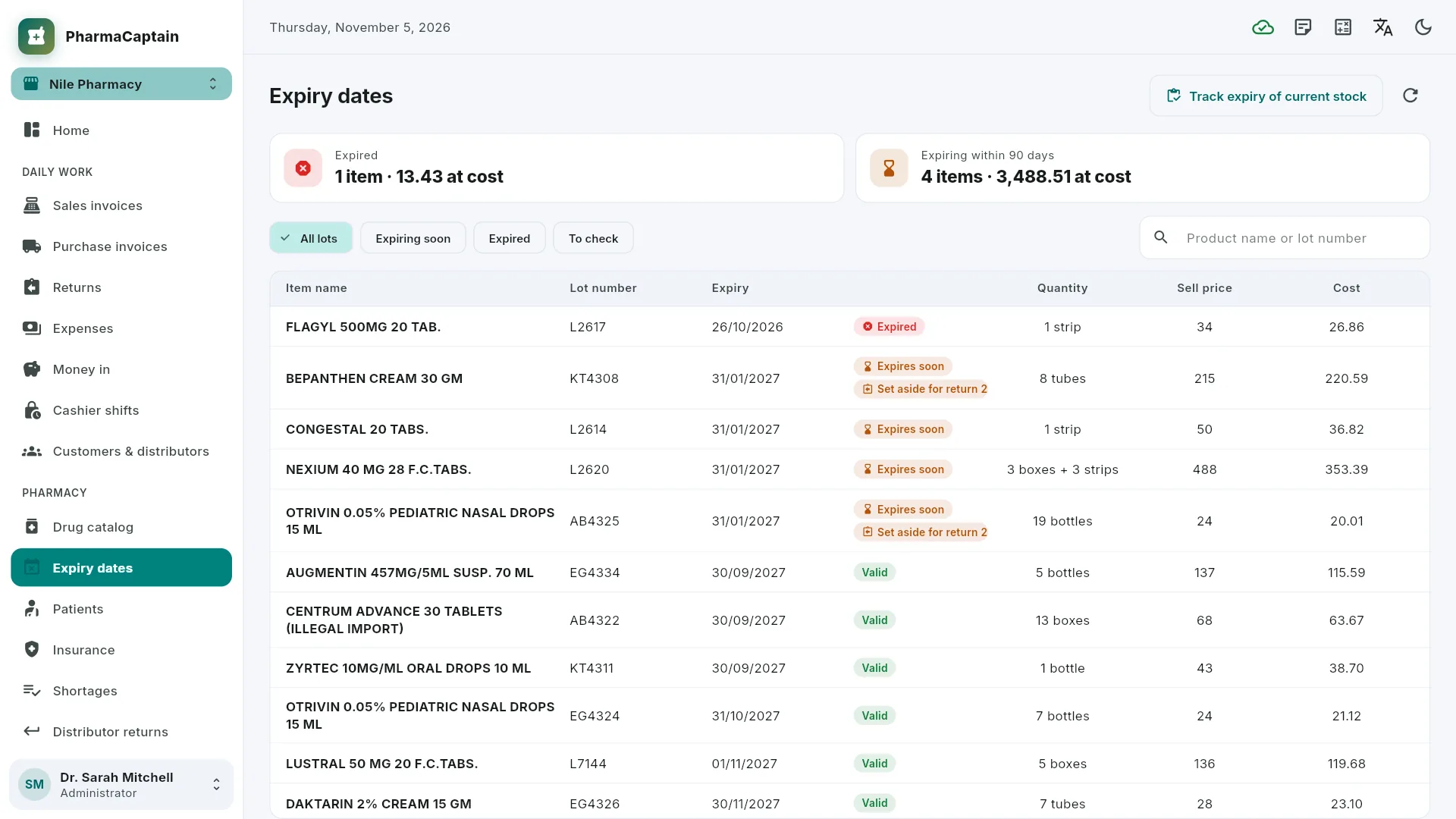
Every delivery is a lot with its number, expiry date, cost and selling price.
The till sells the first-expiring lot first, splits a line across lots when their prices differ, and refuses expired or blocked lots.
Box, strip and tablet for the same medicine.
Reads GS1 DataMatrix pack codes from a barcode scanner: lot, expiry date and serial number.
Stock counts, transfers between branches and expired write-offs, all by lot.
Purchasing and distributors
Purchase invoices with bonus units, distributor discount, VAT and public price on every line.
Shortages: items below their reorder level are added every night, and the till adds what customers asked for and you didn't have; turn them into an order list for a distributor.
Expiry and damaged returns to distributors, deducted from the distributor's account.
Insurance and corporate contracts
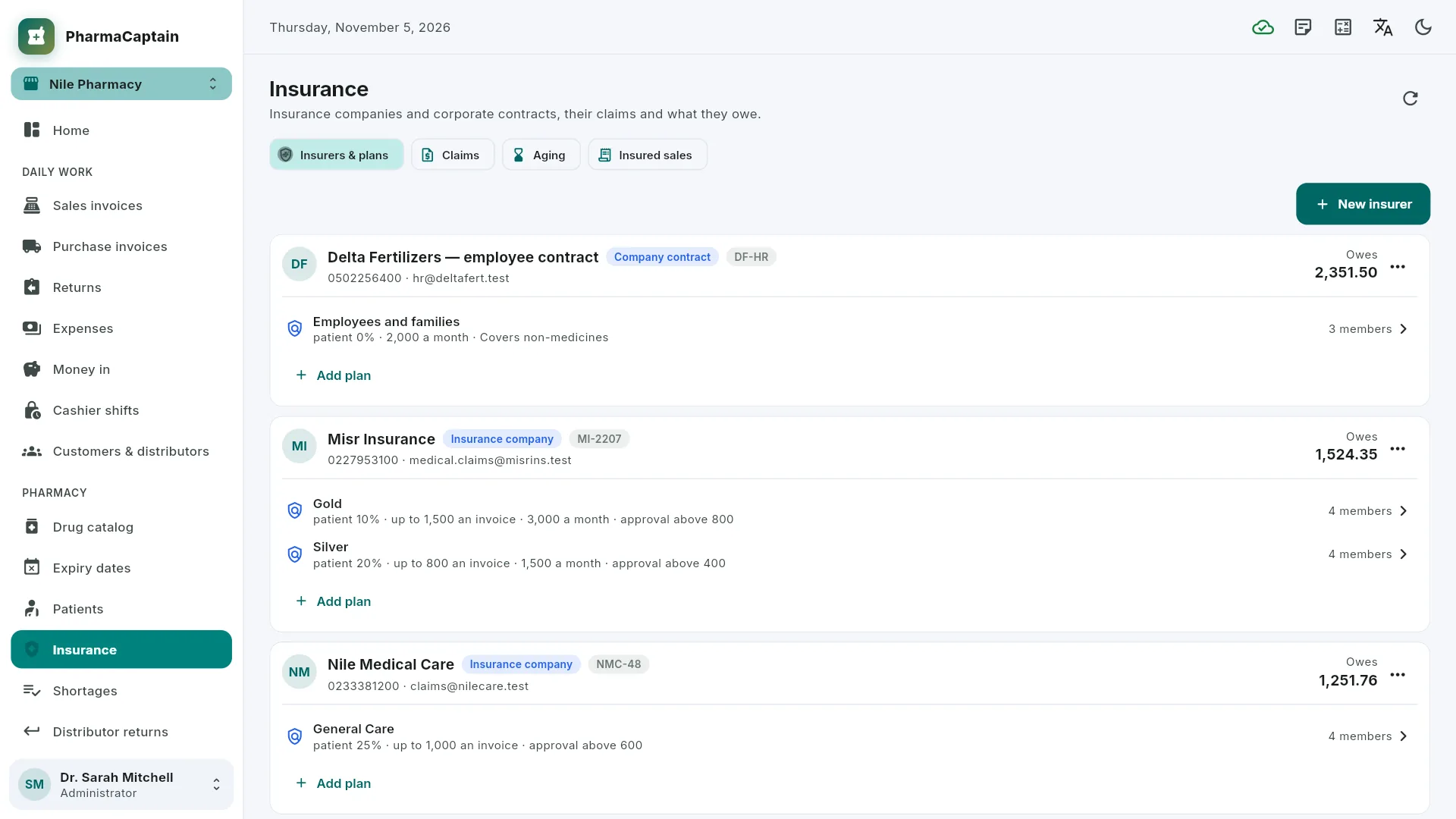
Insurers and contracts with their plans: patient share, ceilings and approvals.
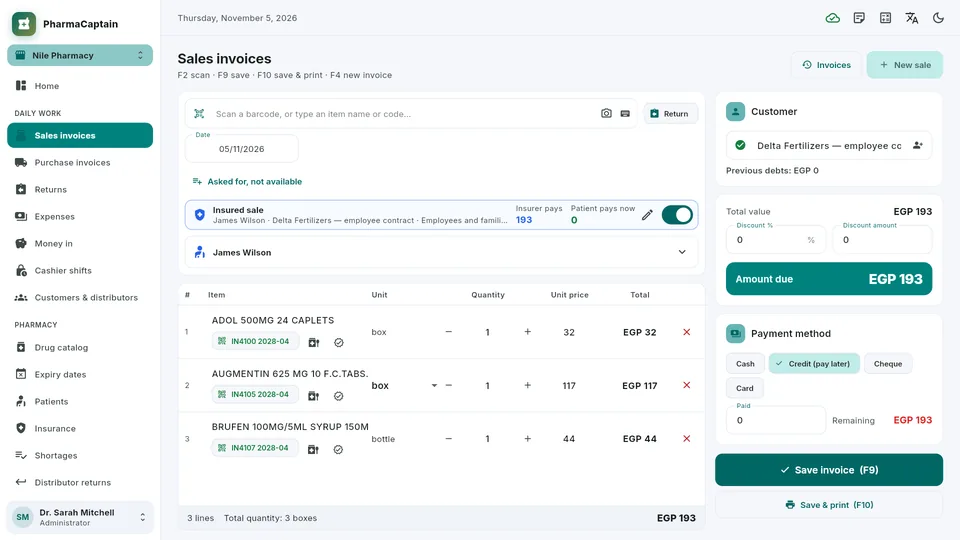
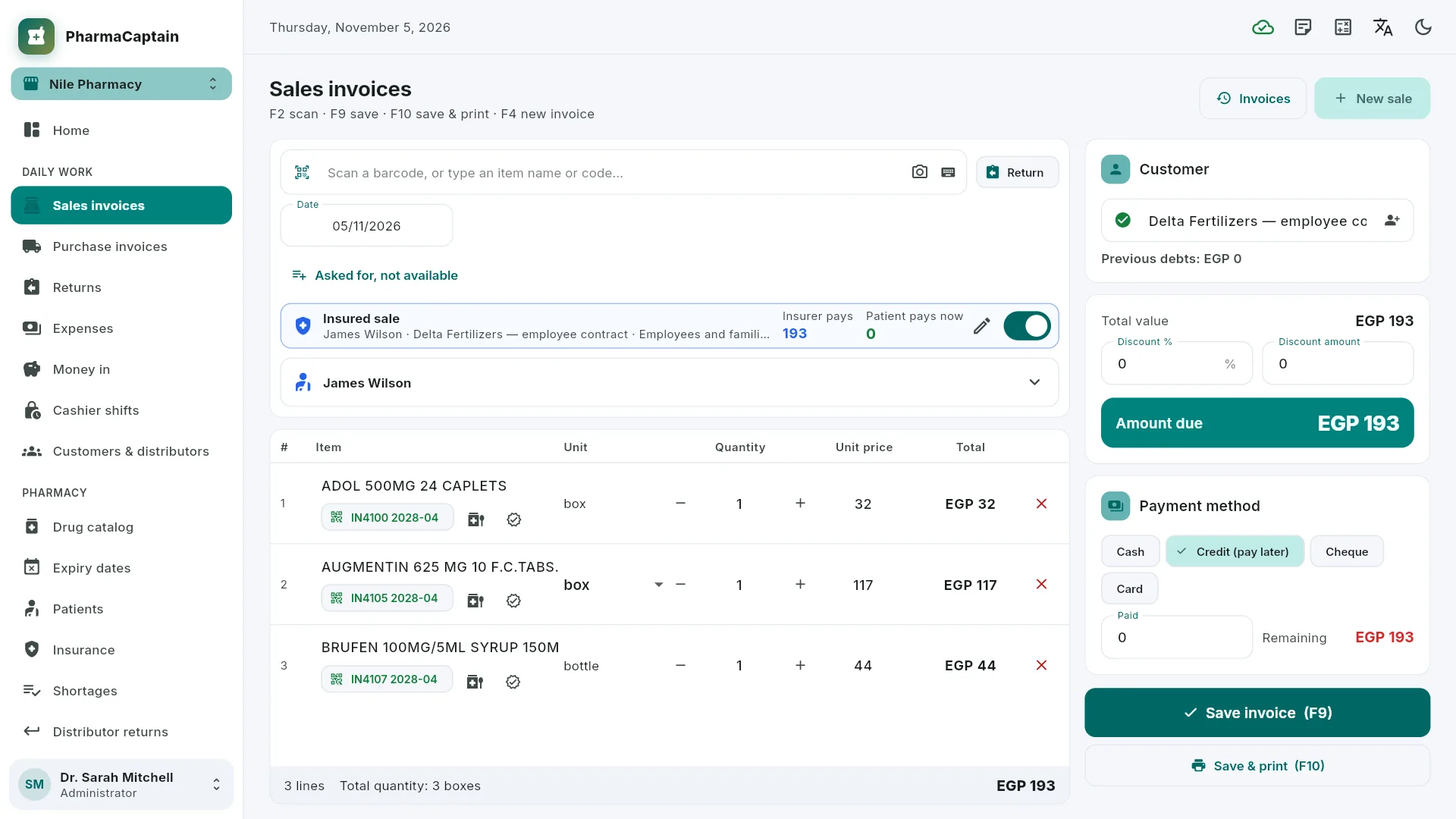
An insured sale splits the invoice between the patient and the insurer.
Monthly claims exported to Excel and PDF, with payments and rejections tracked.
Patients, prescriptions and controlled drugs
Patient files: allergies, chronic conditions, national ID and medication history.
Prescriptions with an attached photo, and what has been dispensed from each one.
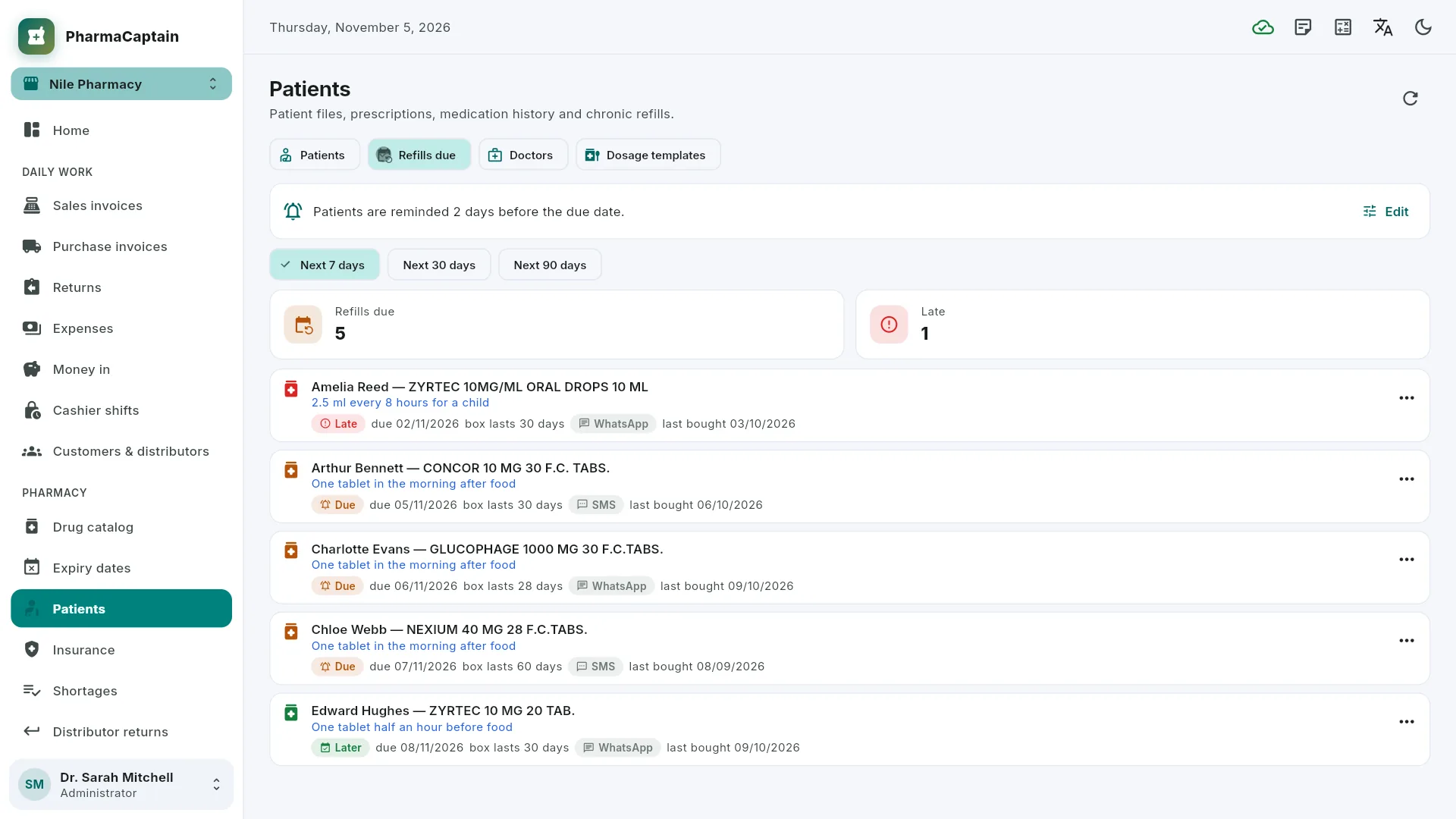
Chronic medicines with their refill dates, and printed dosage labels.
A controlled drugs register per branch: each sale records the patient, doctor and prescription, the register balance matches the stock, and an inspection report is ready to print.
Interaction warnings at the till from rules your pharmacy writes by active ingredient; a severe interaction must be acknowledged by a pharmacist with that permission. No licensed interaction database is included: the few sample rules must be checked against a clinical reference.
Counter, delivery and reports
Sales and purchase invoices, returns, cashier shifts, customer and distributor accounts, treasury, expenses, promotions and loyalty points.
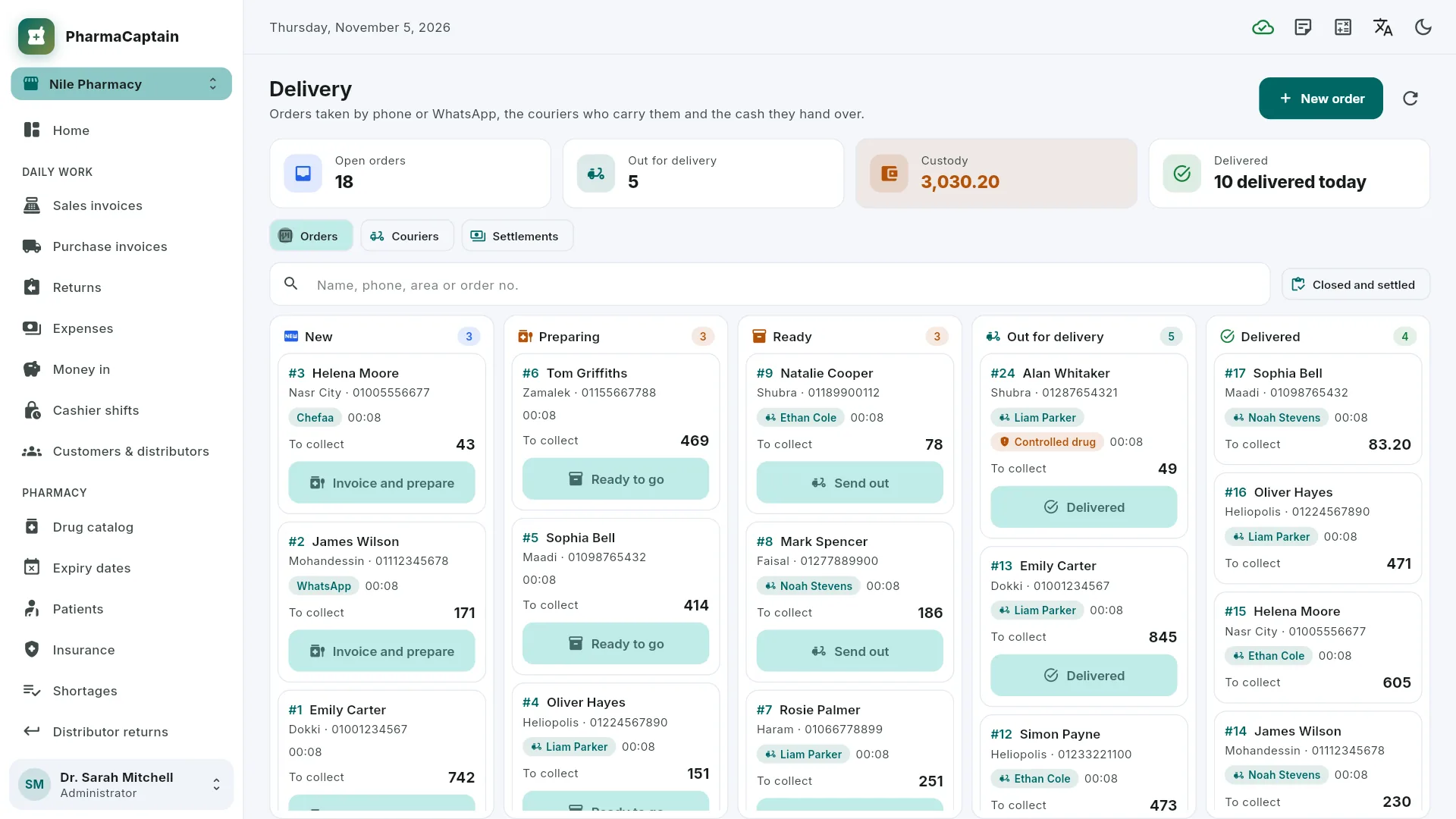
A delivery board by order status, couriers and the cash each one holds, and the courier's hand-over into the cashier shift.
VAT per item: medicines exempt, cosmetics and supplements at 14%, with the VAT shown per rate on the printed invoice.
Egyptian Tax Authority e-receipts can be switched on, with a practice mode to try them; sending real receipts needs the pharmacy's own registration.
The till keeps selling when the internet drops, and the invoices are sent when the connection is back.
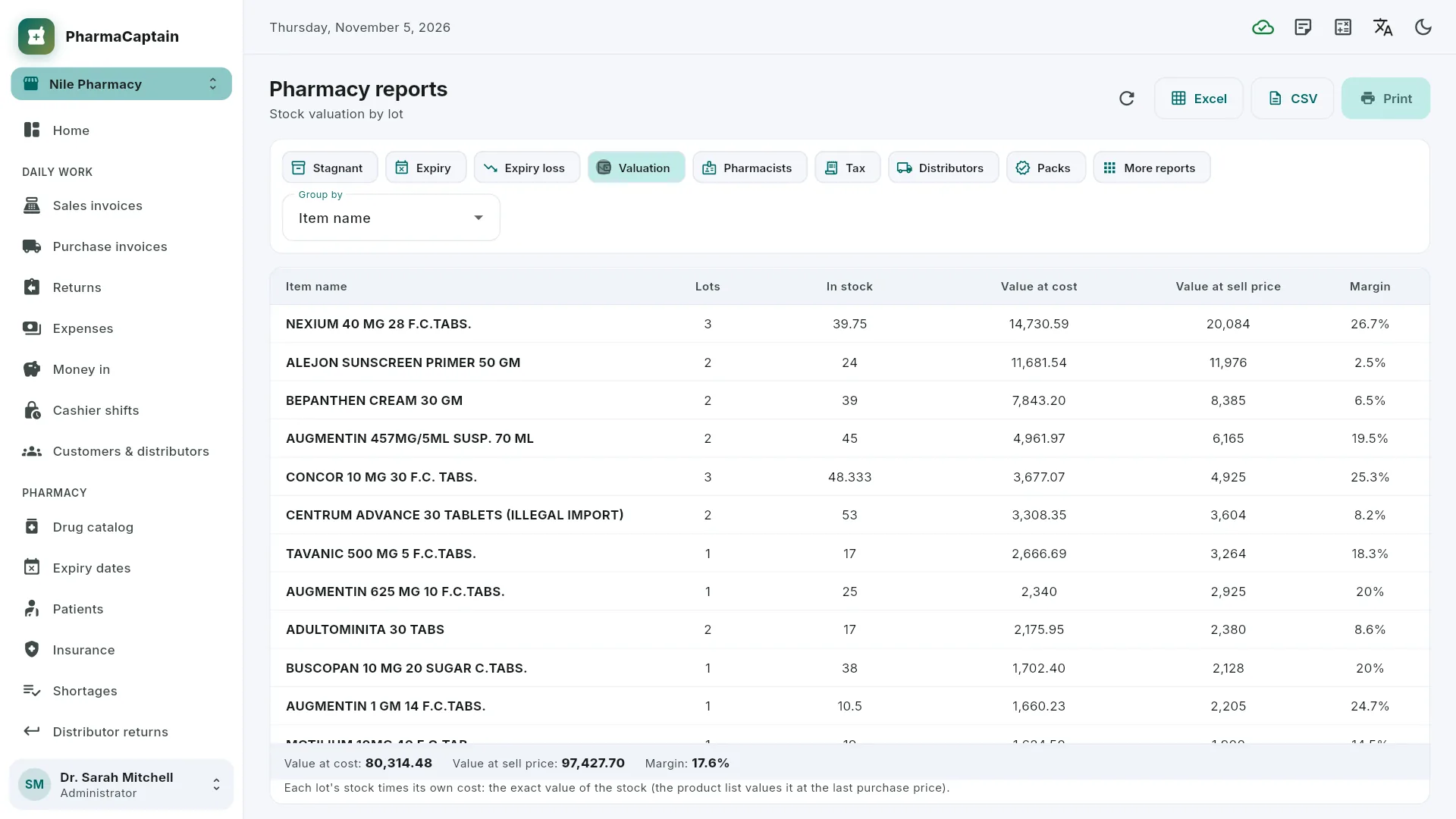
Pharmacy reports: stagnant items, expiry and expiry loss, stock value by lot, profit per pharmacist, sales by tax class and purchases by distributor.
Branches, users with permissions, an audit log, and backup and restore.
See it in action
Screens from PharmaCaptain with demo data. Select a screenshot to open it full size.
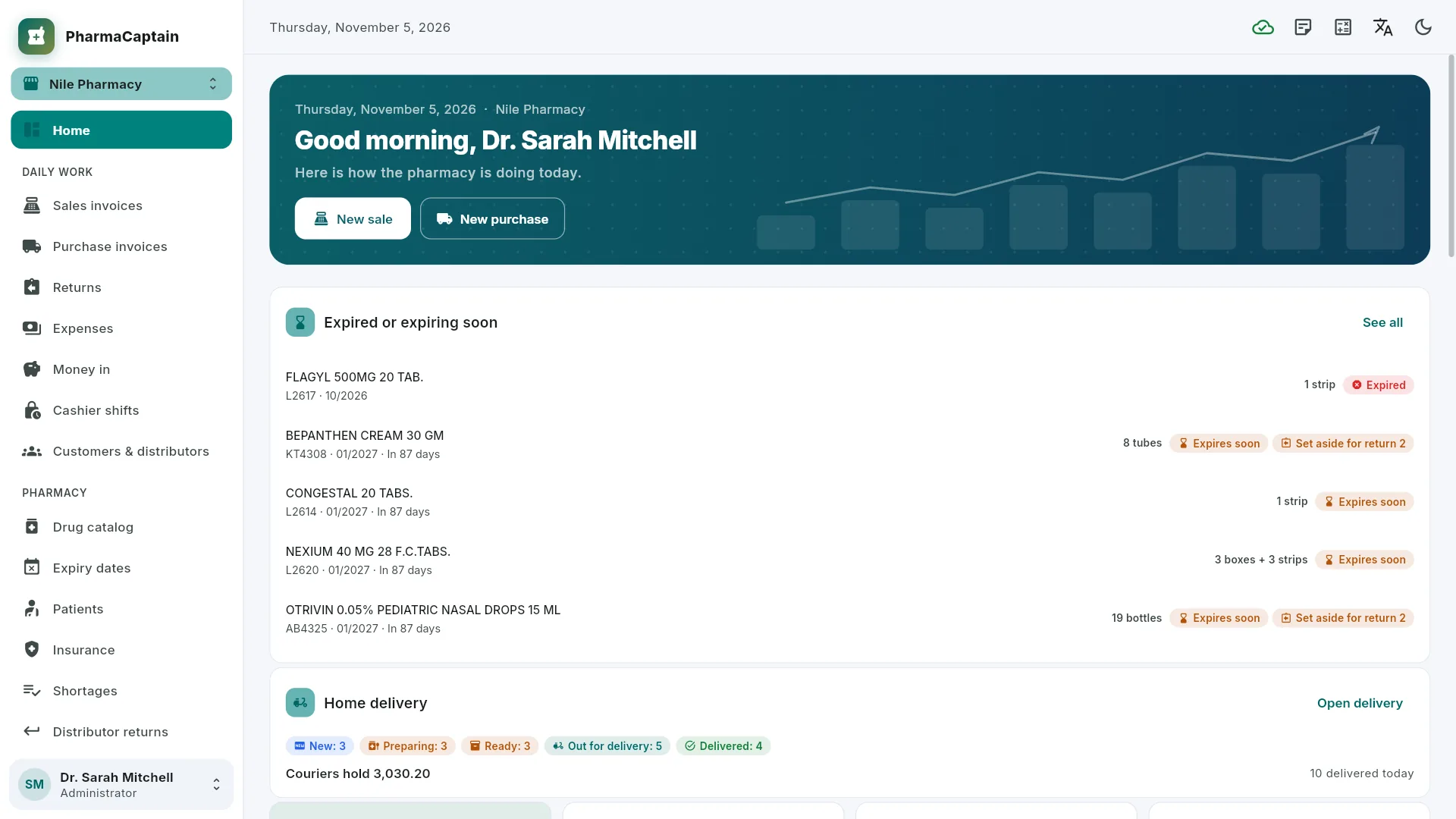
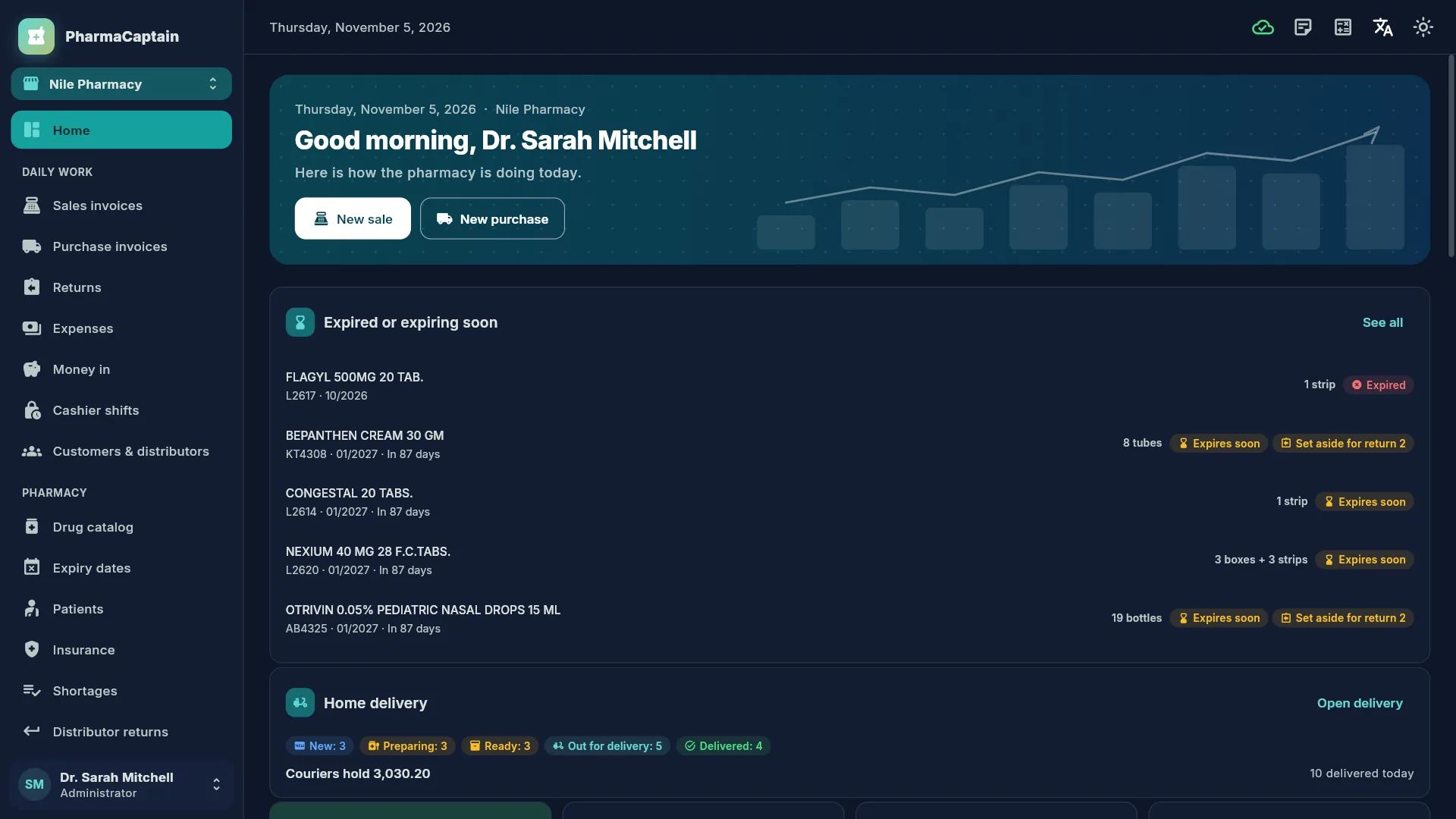
Home screen: greeting with new sale and new purchase buttons, a card of expired or soon-expiring lots with their dates, and the delivery card with orders per stage and cash held by couriers.Insured sale at the till: the patient, insurer plan and member number, what the insurer pays and what the patient pays now, and three dispensed drugs, each with its lot and expiry.Expiry dates: count and cost of expired and soon-expiring stock, and the lot list with lot number, expiry, status, quantity in boxes and strips, sell price and cost.Patients, refills due: chronic medicines due this week or late, with patient, drug, dosage, due date, how long a box lasts, reminder channel and last purchase.Delivery board: phone and WhatsApp orders in columns from new to delivered, with area, courier, amount to collect and a controlled-drug flag, plus cash held by couriers.Insurance: insurance companies and a company contract with their plans (patient share, limits per invoice and per month, approval threshold), member counts and amounts owed.Pharmacy reports, stock valuation by lot: lots, stock, value at cost and at sell price, and margin per drug, with totals and tabs for the other reports.The home screen in dark mode.
Who it's for
Built for the Egyptian market: prices in Egyptian pounds, the Egyptian drug list, and insurance companies and corporate contracts with their monthly claims.
Neighbourhood pharmacies
A quick counter with the Egyptian drug list, and lots and expiry dates handled at every sale.
Pharmacy groups
Branches with their own stock and controlled drugs register, transfers by lot, and profit per pharmacist.
Pharmacies with insurance contracts
Insured sales split between patient and insurer, and monthly claims in Excel and PDF.
Pharmacies that deliver
A delivery board for phone and WhatsApp orders, with the couriers and the cash they hold.
Questions and answers
Is PharmaCaptain free?
Yes. PharmaCaptain is currently free to use: there are no plans, subscriptions or payments.
How do I start?
Open the web app or the Windows app, choose Create a new pharmacy on the sign-in screen and sign up with your email address or mobile number. Then add your staff in Users & permissions.
Where does the drug list come from?
From a public dataset of Egyptian drug prices, with about 25,000 medicines. Because the prices come from a public source, check them against the official prices.
Does it include a drug interaction database?
No. Interaction warnings come from rules your pharmacy writes by active ingredient. A small set of sample rules comes with the app, and they must be checked against a clinical reference before you rely on them.
Does it work when the internet drops?
The till keeps selling, and the invoices are sent when the connection is back. Other work, such as delivery orders, needs the connection.
Can it issue Egyptian Tax Authority e-receipts?
E-receipts can be switched on, with a practice mode to try them. Sending real receipts needs the pharmacy's own registration with the Tax Authority.
Only your pharmacy's own users, and only with the permission for it. The data is stored on servers operated by MarlySoft and travels over HTTPS. The privacy policy explains the details.
Which languages does it speak?
Arabic (right to left), English, French, German, Spanish, Italian and Turkish, in light or dark mode.
 PharmaCaptain